
English · 简体中文
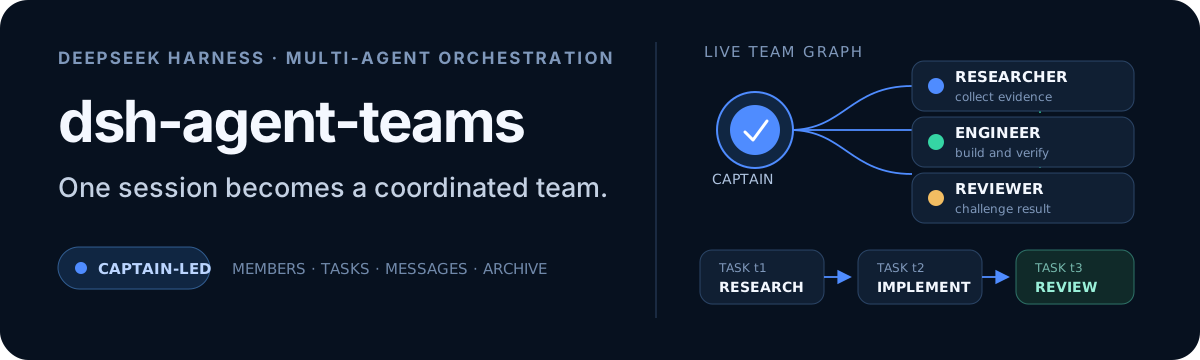




One prompt. A working team.
dsh-agent-teams turns the current DeepSeek Harness session into a captain that can assemble durable sub-agents, split a goal into dependency-aware tasks, and coordinate work through direct messages.
Ask in natural language. The plugin provides the team protocol, 13 coordination tools, persistent state, an automatic shared-task scheduler, and a live Web UI—without requiring a separate workflow engine.
Releases
v0.1.16-rc.3 is published on npm next, with a concise fixed team protocol, existing-team reuse guidance, Web approval wakeups, and team-lock cleanup. See the release verification and choose a version pair below.
Why AgentTeams?
| Capability | What it changes |
|---|---|
| Captain-led delegation | The current session creates the team, assigns roles, and consolidates the final result. |
| Durable members | Members are continuable DSH sub-agents that can be woken for focused follow-up turns. |
| Dependency-aware tasks | Tasks move through explicit states and cannot be claimed before their dependencies finish. |
| Automatic reuse and safe takeover | Idle members claim the next ready task; reassignment revokes stale attempts before new work starts, and cold recovery retries stranded open attempts. |
| Direct messaging | Members send durable mailbox messages directly to teammates or the captain—no relay required. |
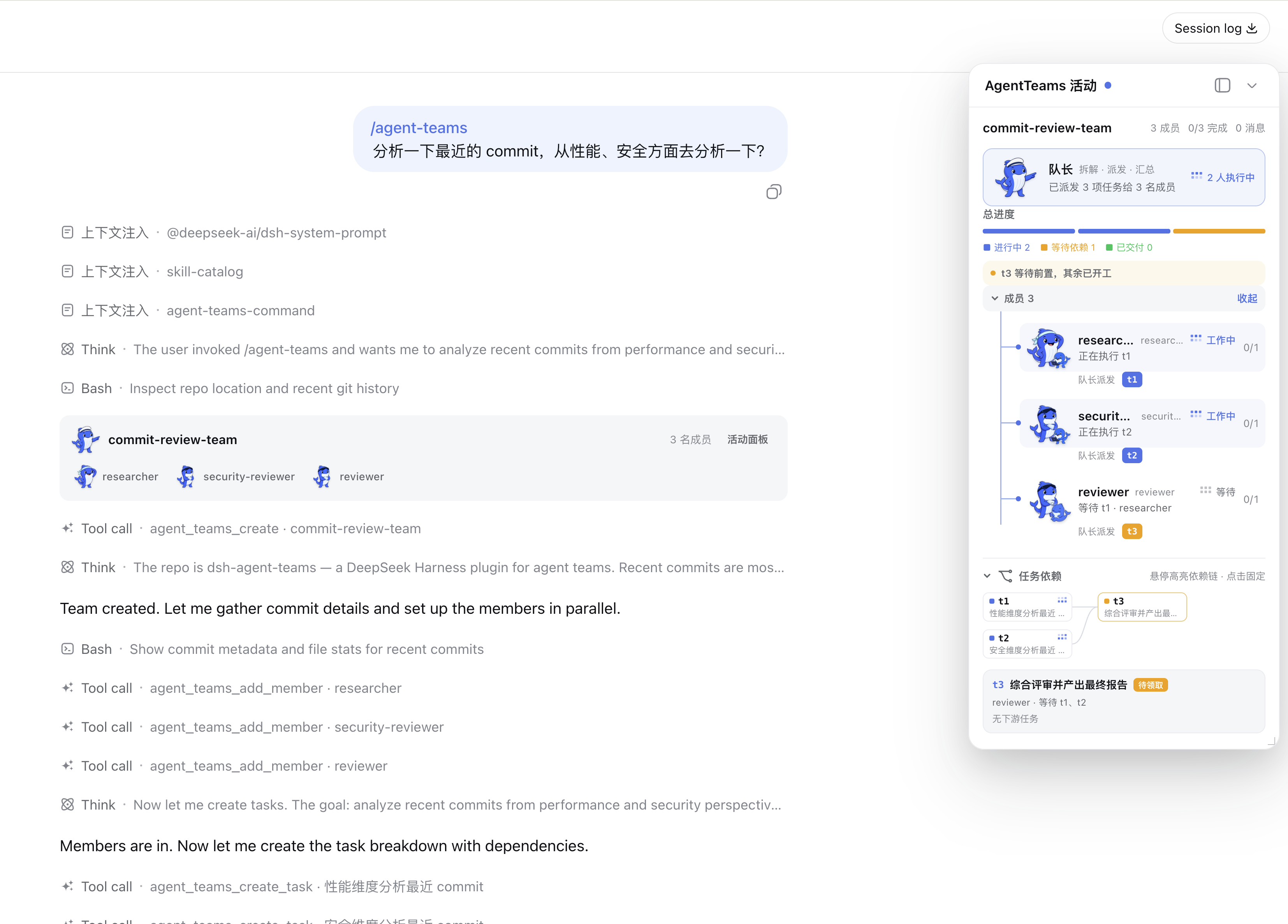
| Live activity panel | The Web UI combines segmented progress, a collapsible roster, and an interactive task DAG; running tasks show the member's model, and completed archives retain their full member and task history. |
| Plan before execution | Normal /agent-teams runs stage an unspawned roster and DAG first. The Web panel uses the host model catalog for member routes. Returning to chat stops the planning turn, asks what should change, and revises the same draft; discarding archives the draft, aborts the turn, and explicitly prevents automatic recreation. Only Approve & Run creates members and starts scheduling. |
| Quality gates | Opt-in quality tasks support requirements → implementation → verification → review → integration contracts, automatic repair/re-review, and explicit resume. Scope control is a completion-time audit, not host write interception. See docs/quality-gates.md. |
The conversation card and activity panel use Harness's official locale service. They follow live language changes between English and Simplified Chinese—including status labels, dynamic summaries, controls, archive markers, and accessibility text—without a page reload or a separate plugin setting.
Install and choose versions
Recommended pair: DeepSeek Harness 0.1.2-rc.1 + AgentTeams 0.1.16-rc.3. Both are still prereleases.
| Use case | DeepSeek Harness | AgentTeams plugin |
|---|---|---|
| Recommended installation | 0.1.2-rc.1 | 0.1.16-rc.3 |
| Developer Alpha testing | 0.1.2-alpha.5 | 0.1.16-rc.3 |
| Retaining an older Alpha | 0.1.2-alpha.2 | 0.1.16-rc.3 |
1. Install DeepSeek Harness
npm install --global @deepseek-ai/[email protected]
dsh --version
Skip this if you already run this version. Alpha is opt-in: select an exact Alpha version from the table and lock all host dependencies as described in the maintenance guide.
2. Install the AgentTeams plugin
This installs into the web profile. Replace web with your actual profile name if different:
dsh plugin --profile web add --save-exact @nanmicoder/[email protected]After installation, stop and restart Harness for that profile, then refresh the browser.
Plugin 0.1.16-rc.3 uses the next channel; latest still points to 0.1.15, which targets Alpha.2. Use the exact-version command above. Future plugin prereleases use next; only stable plugin releases that pass the full verification matrix may use latest.
Desktop users must check the app's embedded Harness core; upgrading the global CLI does not upgrade it. For older0.1.0-*/0.1.1-*or unlisted hosts, keep a working pair and follow the older-version and diagnostic guide.
See the full compatibility matrix, source installation and Alpha testing guide, and verification coverage and platform limits.
Then ask for a team directly:
Use AgentTeams to review the commits after v0.5.3 from performance, security, and product perspectives. Return one consolidated report.
How it works
- For a request to use AgentTeams, the captain follows the core protocol already in its system instructions. It continues an existing team and uses
agent_teams_statuswhen current state needs checking. When no team exists, the goal becomes a staged plan for review. - The captain adds role-specific members backed by continuable sub-agents.
- The goal becomes tasks with owners and explicit dependencies.
- The shared scheduler uses real
running / idle / readystate to atomically claim one ready task per idle member and wake it. An interrupted resident attempt stays parked and can resume through a direct message without losing its capability; after a cold process restart, the scheduler retries stranded open work with a fresh attempt. - Members update with the current
attempt_id; reassignment or captain takeover revokes the old attempt and waits for the old worker to quiesce before a new attempt starts. - The captain presents the combined result, then archives the complete team record.
Team state is stored under <workspace>/.agent-teams/; the Web panel reads that disk truth and combines it with live sub-agent activity.
Member creation is zero-interaction by default: a member on the captain's current LLM route snapshots that provider, model, and reasoning effort, while a member on a requested alternative route snapshots the target model's default effort; later continuations restore the resolved snapshot. Only an explicit heterogeneous-team request (for example, “backend on provider A/model X, frontend on provider B/model Y”) supplies a member-specific provider + model; there is no per-member model or reasoning prompt.
Captain sessions keep the concise core protocol and the original 13 native team tools from their first request. All business tools are directly available; no loading tool or extra activation call is needed. Configured profiles retain their bounded directory in the fixed system prompt. Creating, approving, continuing or ending a team does not rewrite the system prompt or tool schemas. Core rules remain available after history compaction or discarded code-mode tool results. Members receive four team tools, fixed member instructions, and their ordinary coding/research tools. Web approval wakes the captain with a control message; later member reports wake it again. See the fixed protocol and benchmark contract.
Slash command
No “use AgentTeams” phrasing required. The plugin registers the closed-namespace /agent-teams host command, so the Web GUI slash menu shows an agent-teams placeholder with an input hint: pick it (or type the command), describe the goal, and press Enter.
/agent-teams research the pricing pages of three competitorsThe command pipeline claims the line, then preserves that exact input as an ordinary user follow-up so it remains visible in the main chat. The gesture boundary adds the deterministic activation directive at pre-step, so the first model request follows the staged planning protocol without a mandatory helper call. The invocation is also durably logged (command/run / command/done).
Surfaces without command adjudication (for example the headless CLI) get the same deterministic activation through a gesture boundary: any genuine user message starting with /agent-teams activates the protocol for the rest of the text. Mid-sentence mentions stay ordinary prose.
Configuration
Defaults work without extra setup. A trusted profile can override member behavior:
- id: agent-teams
  config:
    stateDir: .agent-teams
    memberProvider: spawn
    memberModel: deepseek-v4
    memberMaxDepth: 1
    maxMembers: 8
memberProvider is the sub-agent runtime backend (spawn / fork), not an LLM provider. Cross-LLM-provider routing uses the optional provider + model fields of agent_teams_add_member; memberModel is only a model default for all members. A member on the captain's current provider/model inherits the captain's reasoning effort, while a changed provider or model automatically uses the target model's default. To request a particular effort, pass the optional reasoning_effort field — one of the target model's supported effort ids, or "default" to force the model's own default.
slashCommand: false disables the deterministic /agent-teams activation surfaces (slash command and gesture boundary), leaving the natural-language trigger as the only entry point.
Boundaries
- One captain leads one active team at a time.
- Idle members with no open task are automatically reused for ready work. An idle member that still owns an open attempt is parked until messaged or explicitly reassigned; messages that cannot be delivered live remain durable and are retried at a later status boundary.
- State is file-backed and serialized within one DSH process; concurrent processes editing the same team are not coordinated.
- The activity panel reports persisted state as-is. Models may occasionally finish work without performing the expected task-state update.
See docs/usage.md for the full tool reference, state model, Web UI behavior, configuration, and known limits.
Plugin development Skill
Community upgrade, audit, benchmark, testing and release skills are vendored with a pinned source revision. See skills/README.md for local rules and CONTRIBUTING.md for the contribution workflow.
The repository also ships the open Agent Skills package dsh-plugin-development:
npx skills add NanmiCoder/dsh-agent-teams --skill dsh-plugin-developmentDocumentation
| Guide | Covers |
|---|---|
| Usage | Architecture, UI behavior, tools, configuration, limits, and validation |
| Verification | Offline, composition, real e2e, and GUI verification |
| Plugin development | Human-readable guide built from this plugin |
| README writing | Repository documentation conventions |
Development
pnpm install
pnpm build
pnpm verify
Named multi-role profiles
Configure one or more complete team profiles in cordis.patch.yml. A profile always supplies the roster (independent provider/model/role/reasoning effort). Set taskPlanning: captain when the Captain should derive the DAG from the user's goal; omit it or set taskPlanning: seed to keep a fixed template workflow:
profiles:
  demo-delivery:
    description: Ship a small feature
    protocol: Discuss requirements, review, test, then prepare release; do not deploy automatically.
    members:
      - name: analyst
        model: gpt-5.6-sol
        role: Analyze requirements
      - name: implementer
        model: gpt-5.6-terra
        role: Implement the approved solution
    tasks:
      - id: requirements
        subject: Requirements discussion
        assignee: analyst
      - id: implementation
        subject: Implement solution
        assignee: implementer
        dependencies: [requirements]
Use an explicit profile flag: /agent-teams --profile demo-delivery implement the feature. The first ordinary token is never treated as an implicit profile. Normal command runs call agent_teams_create({ profile, approval: "required" }): the roster and seed/Captain-designed DAG remain staged, no child session is created, and no task is claimed. Edit the plan in the activity panel using the host model catalog, return to chat so the Captain asks what to revise and then atomically updates the same draft, discard it, or click Approve & Run. Return/discard actions cancel any planning turn still running; discard also parks model-facing context that forbids silently creating a replacement team. Approval resolves the final provider/model/reasoning choices, atomically spawns the roster, and starts only ready tasks. A running team is stopped from its own panel header through a confirmation dialog rather than from the composer. Direct tool clients may pass approval: "automatic" for the legacy immediate path. Failed review/test tasks do not unlock downstream work; automatic repair/review tasks do not depend on the failed review.
