🌸 Bloom for Typora
24 套主题
🌊 Bloom for DSH
8 套配色 · 当前
同一套莫兰迪设计语言:两个宿主的主题,加一个守住它们配色的工具。
One Morandi design language — two themes, and the tool that keeps their colors honest.









中文 | English
把 Bloom(90★ Typora 主题)的莫兰迪质感搬进
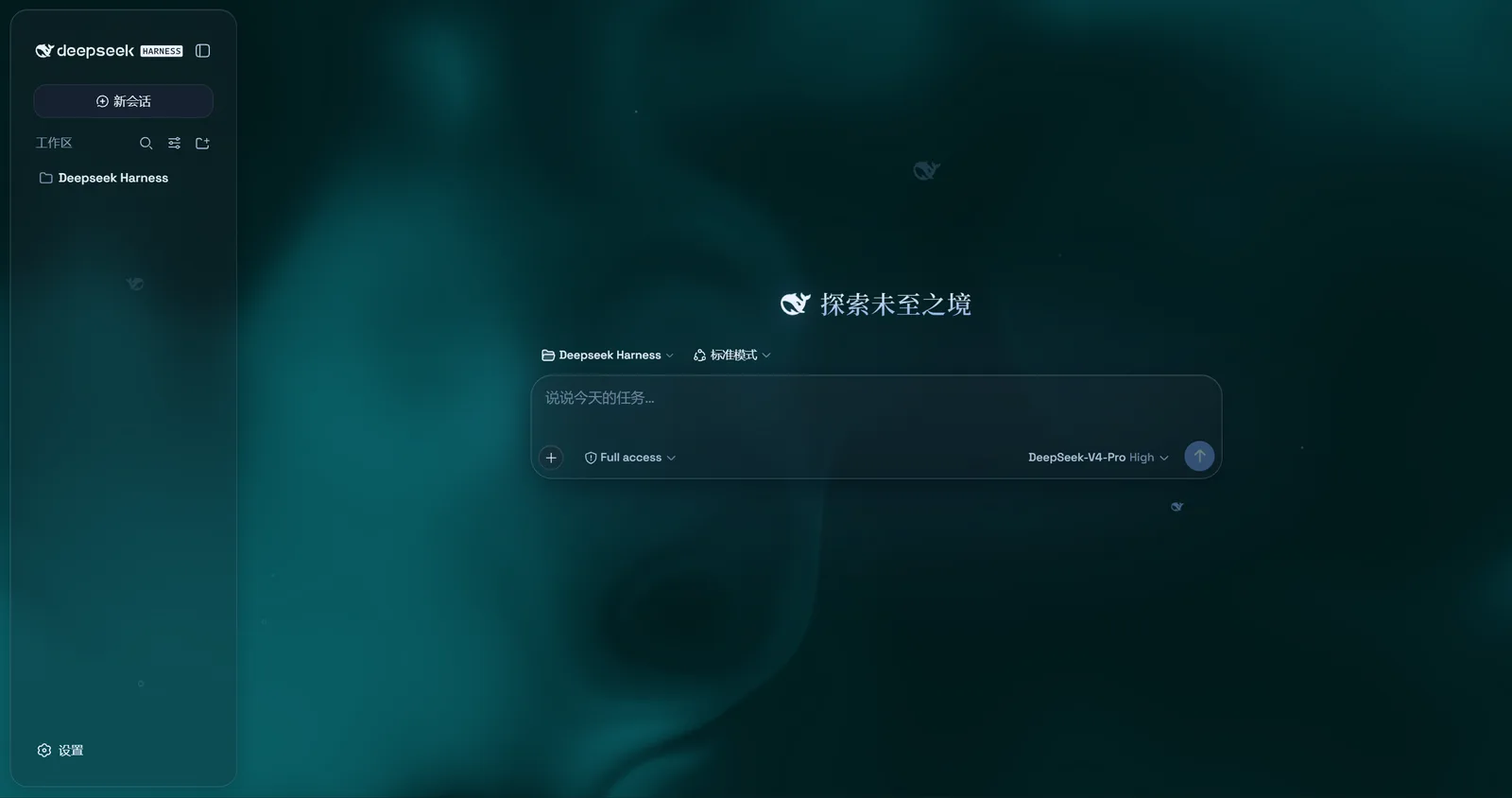
玻璃 + 莫兰迪:8 套明暗双主题,磨砂玻璃面板,顶栏一键切换, 连 AI 思考的等待也跟主题一起呼吸。
一句话
给 DeepSeek Harness 的「玻璃 + 莫兰迪」主题。 8 套配色,明暗自适应,顶栏一键切换;面板是真正的磨砂玻璃(半透 + backdrop 模糊 + 玻璃边缘), 配色是低饱和莫兰迪(OKLCH 调色、WCAG AA),全站统一克制的微动效,零运行时依赖,前端 TypeScript 构建。
莫兰迪的气质不在--accent,在--accent-rgb。
截图
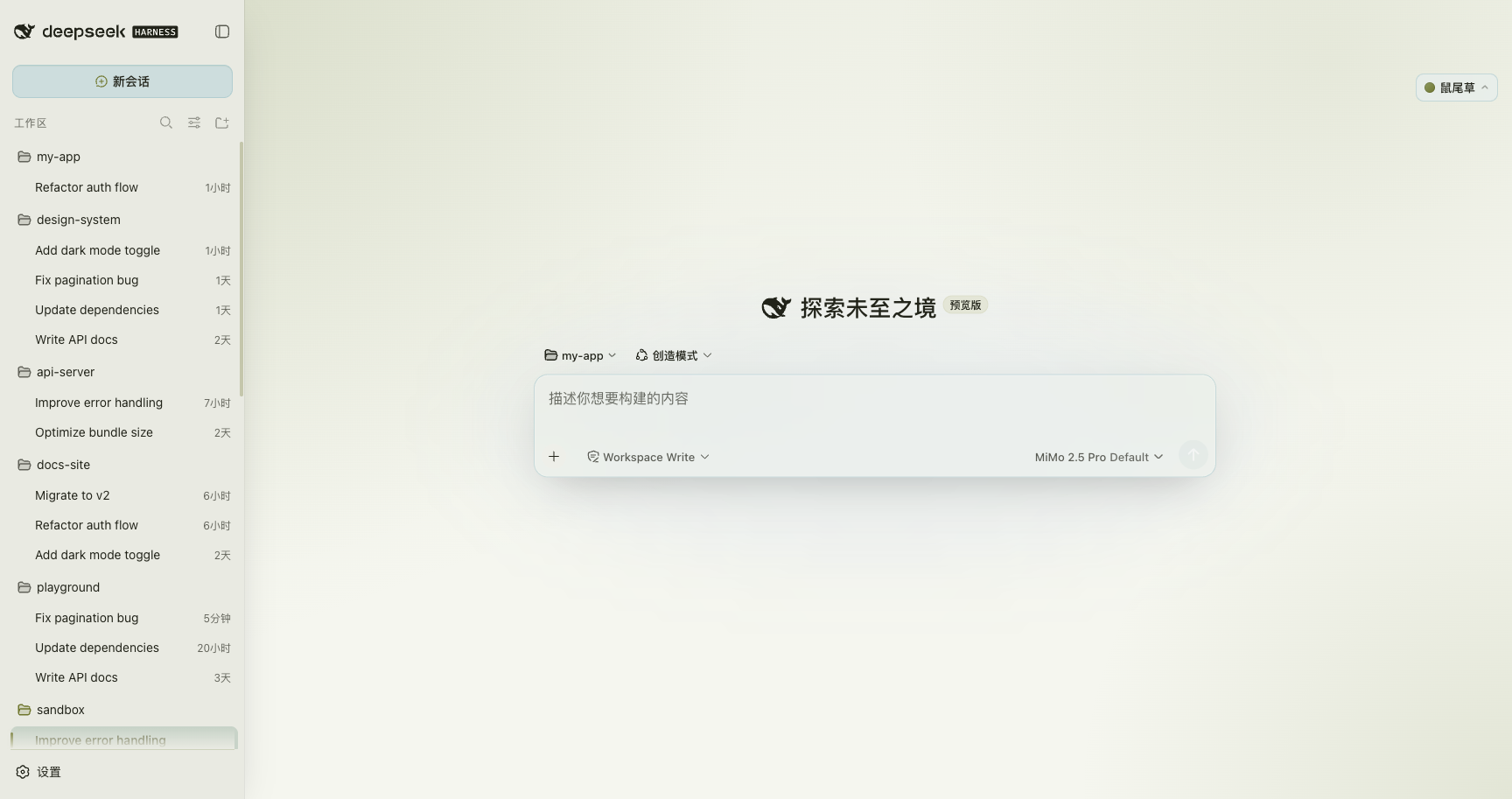
鼠尾草·亮色 —— 磨砂玻璃面板 + 莫兰迪绿,选中会话行以当前主题高亮
8 套配色(亮色):点击任意一套,全站主色 / 背景 / 玻璃 / 动效色相一起切换。
☁️ 雾蓝 Mist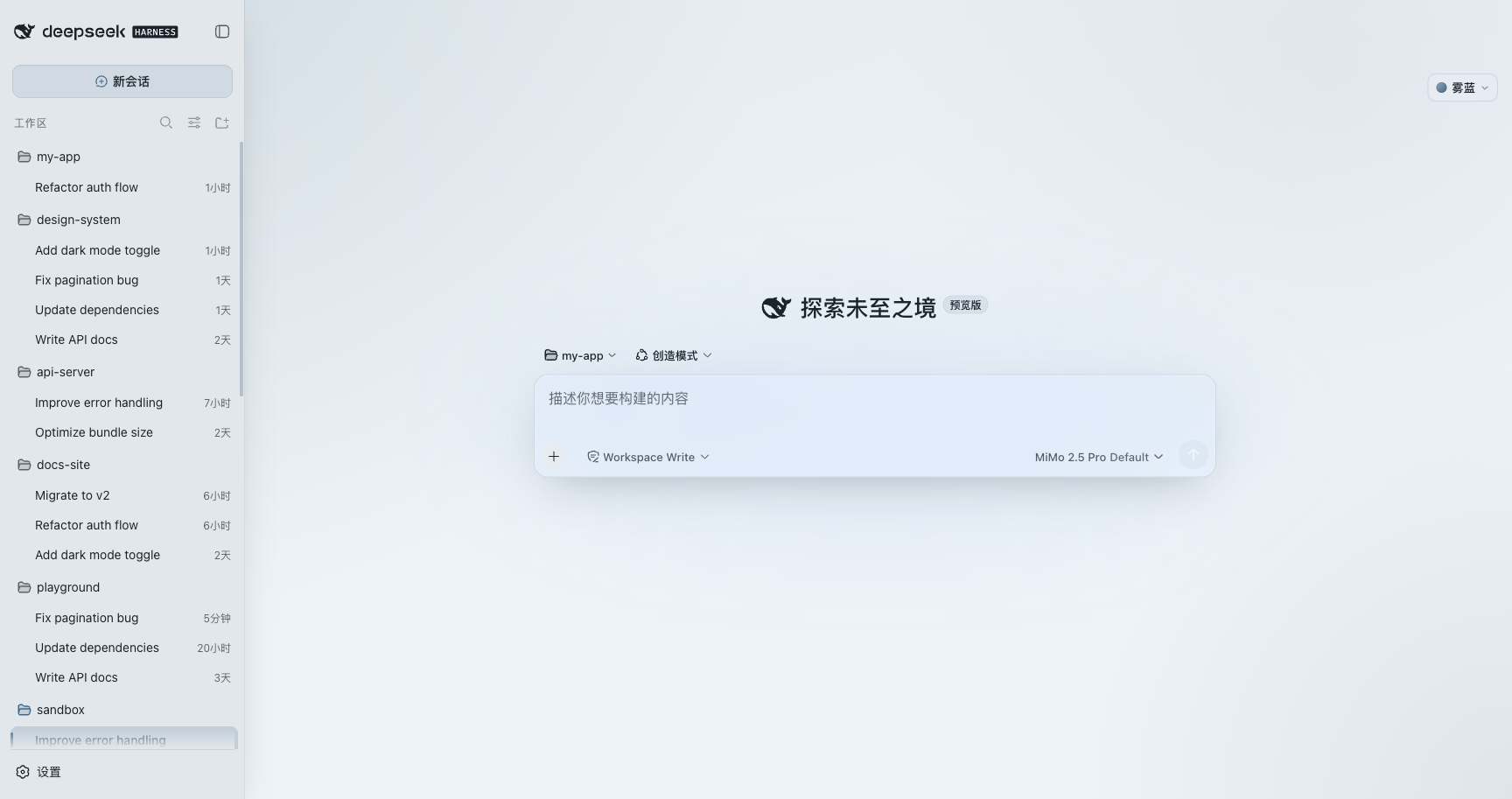
🧧 丹红 Cinnabar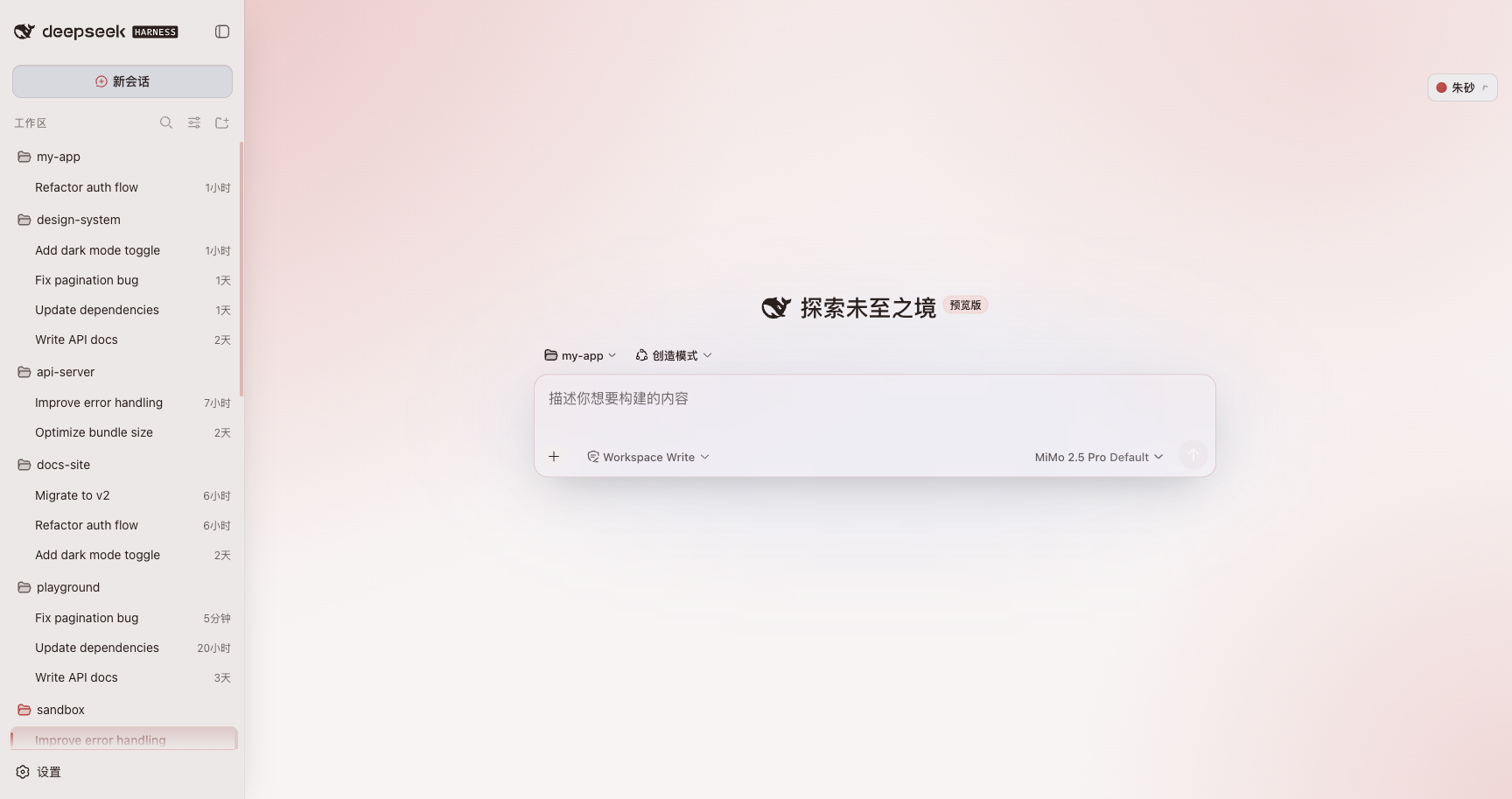
🌸 花瓣 Petal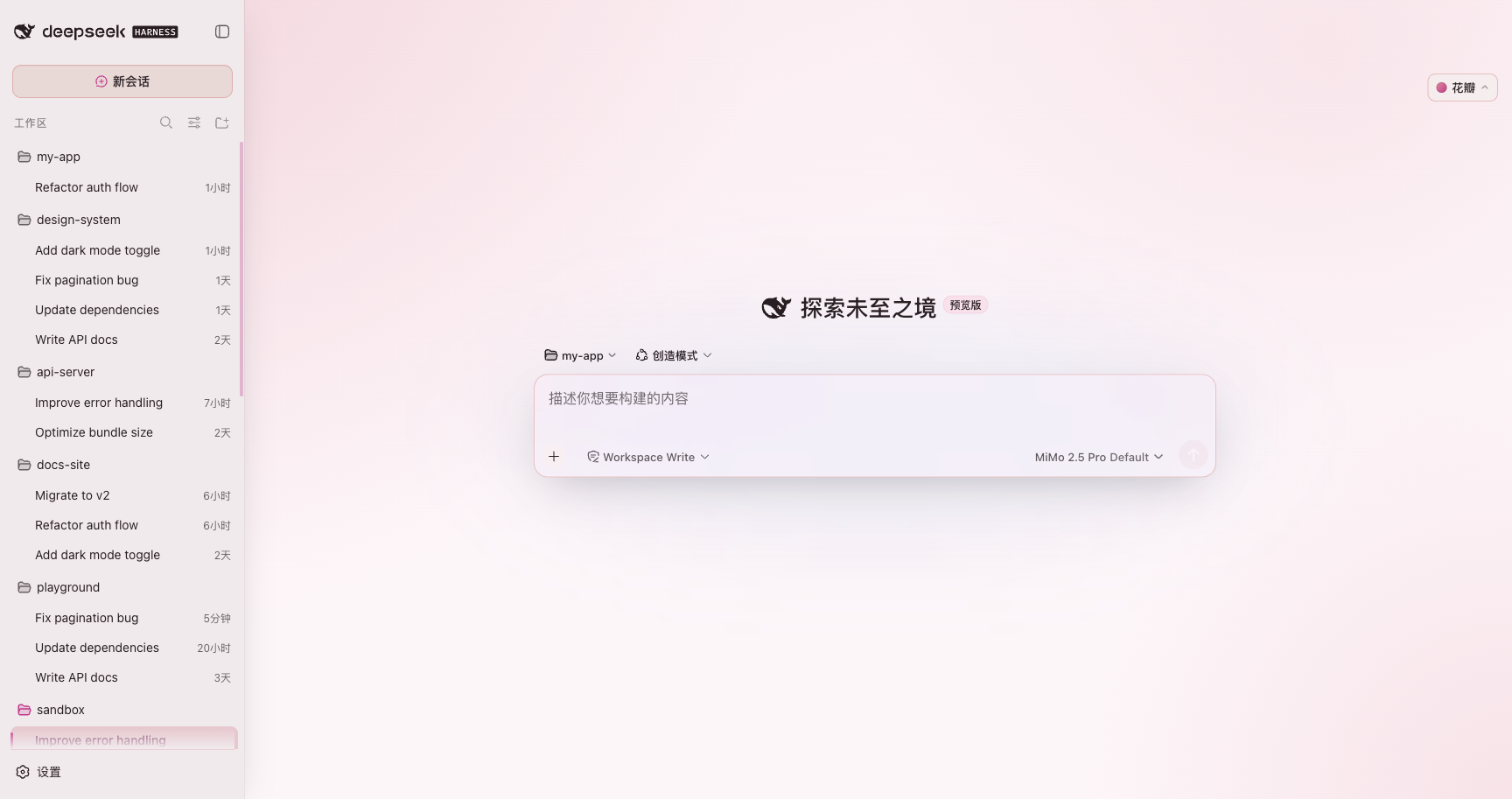
🌊 涟漪 Ripple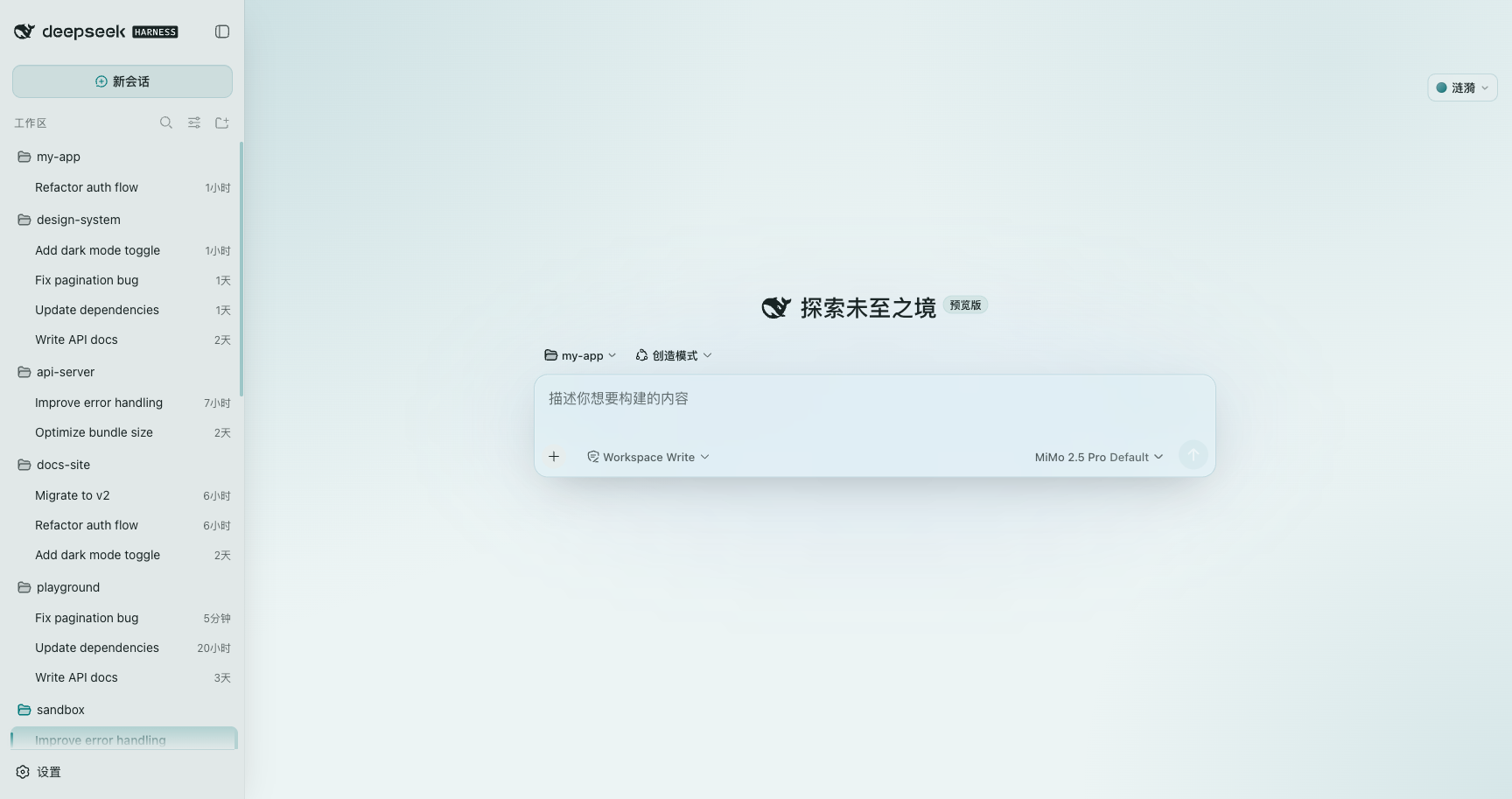
🌿 鼠尾草 Sage
🧱 暖石 Stone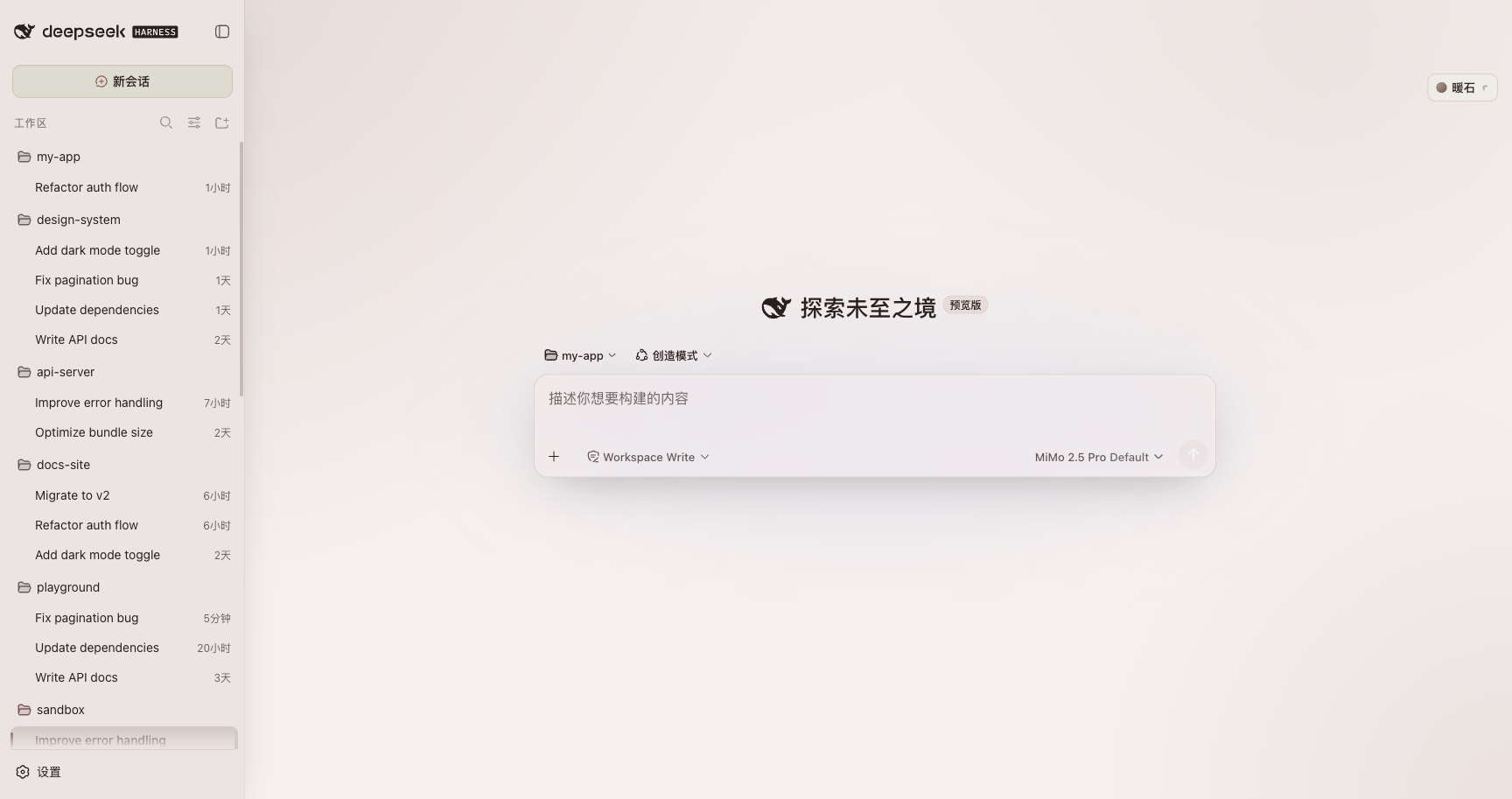
🔷 青金 Lapis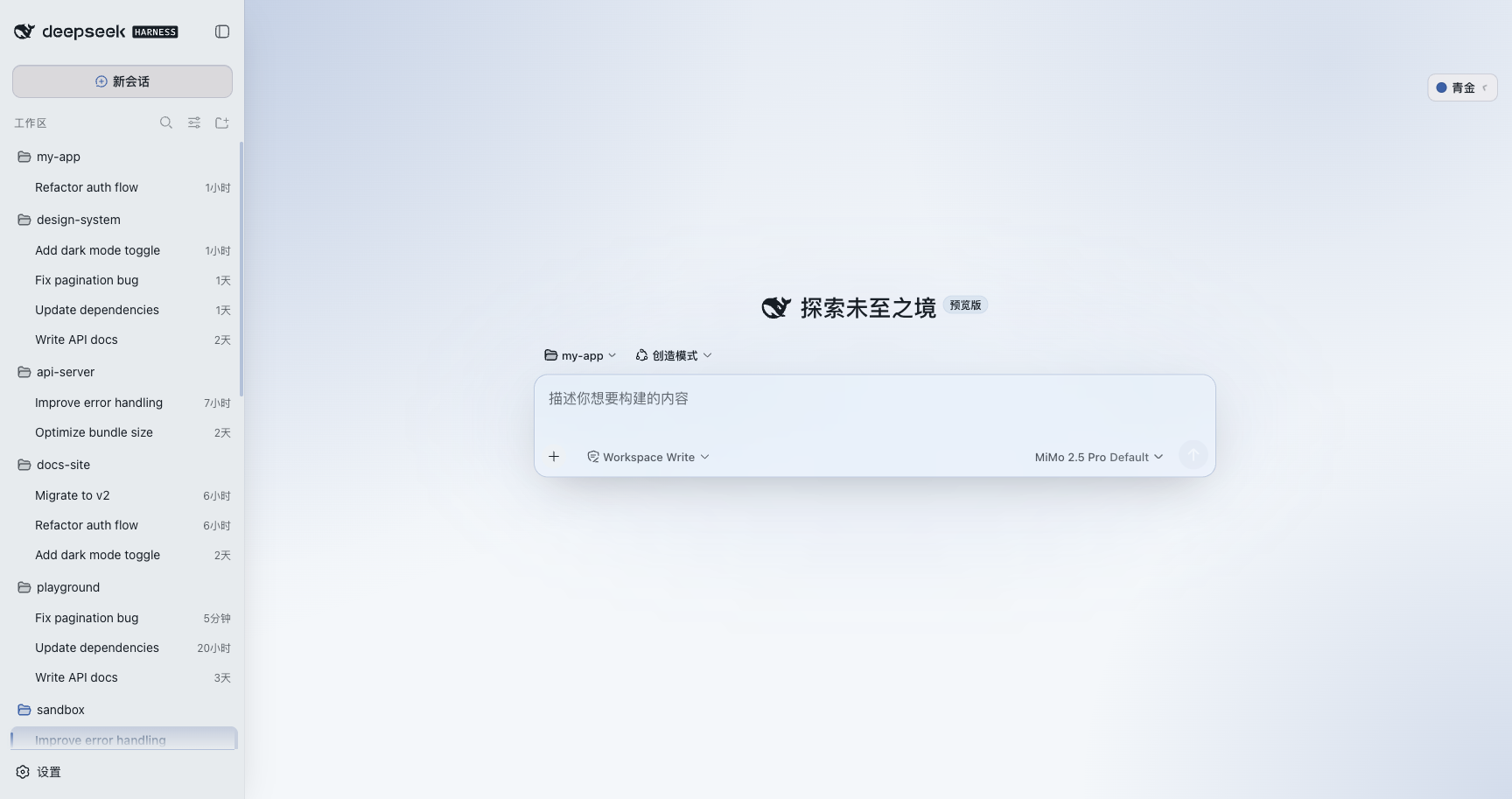
🍯 琥珀 Amber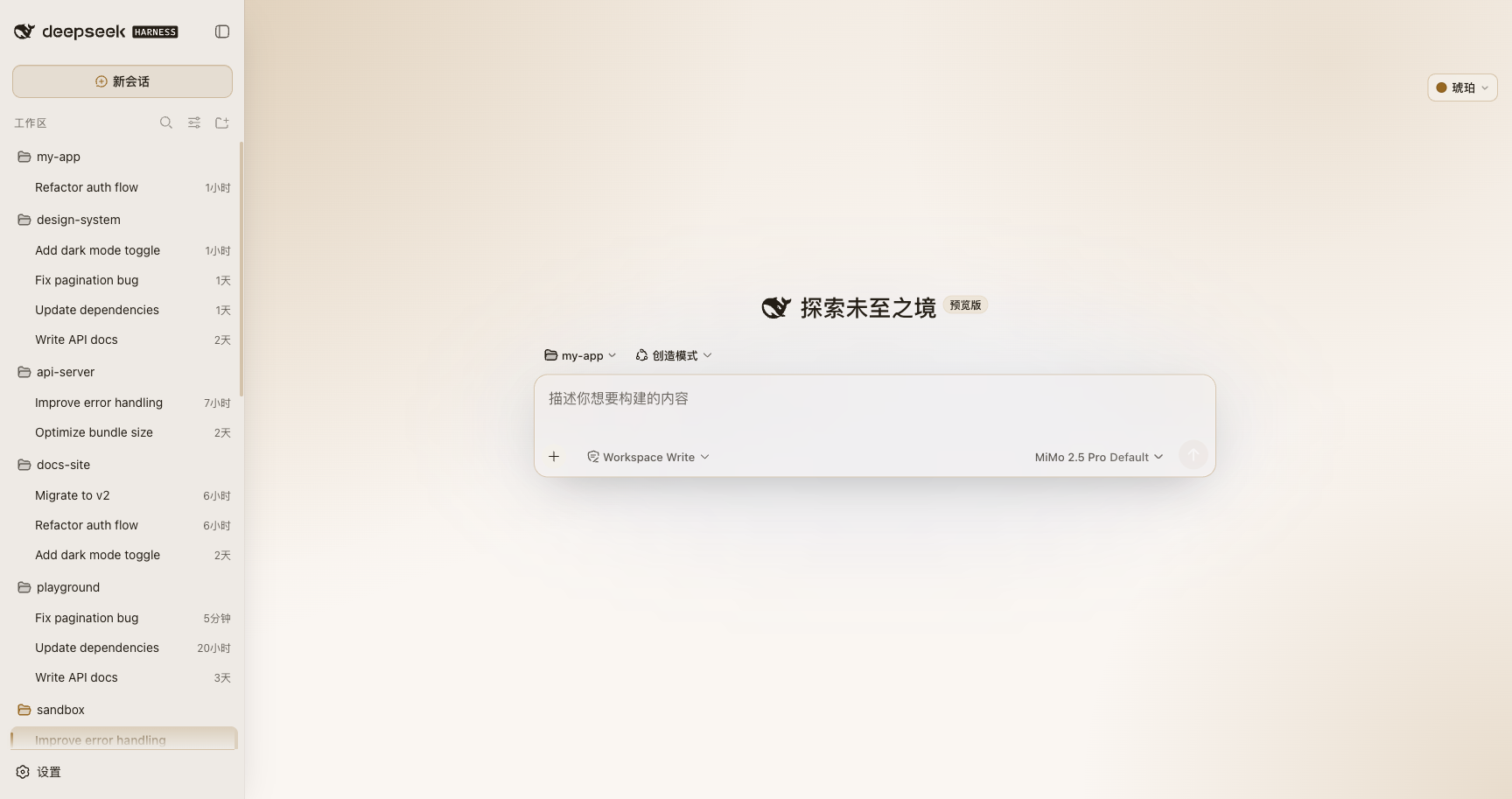
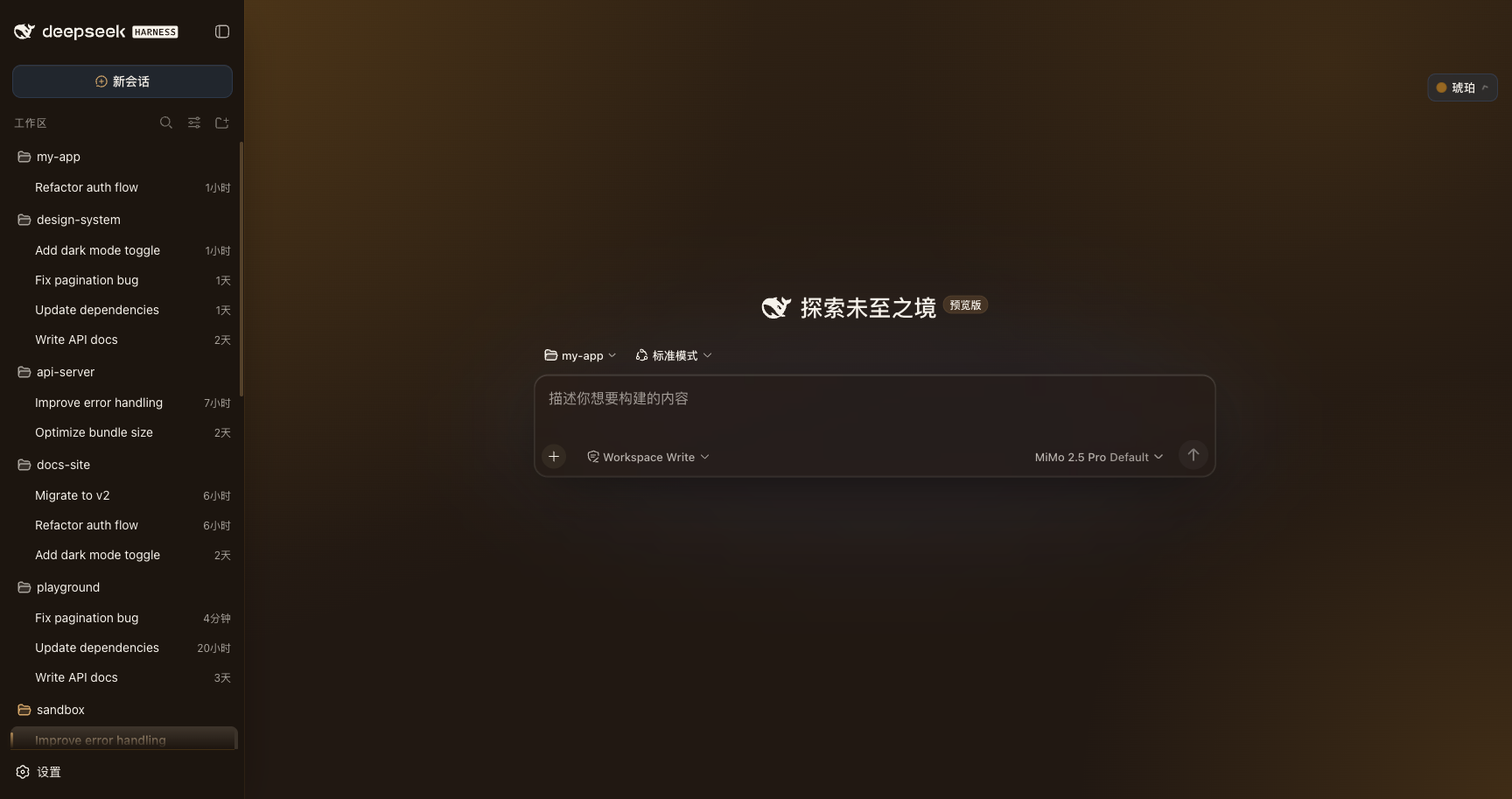
每套都有对应暗色(示例:琥珀·暗色):
安装
# 方式一:通过 dsh CLI 添加(推荐)
dsh plugin add @kubor/dsh-bloom-theme

# 方式二:全局安装后启用
npm i -g @kubor/dsh-bloom-theme
dsh plugin enable @kubor/dsh-bloom-theme
装完刷新页面,顶栏右上角会出现「雾蓝 ▾」主题按钮。点击展开即可在 8 套配色间切换, 下拉底部显示当前版本号;npm 上有更新的版本时会亮一个 ↑ vX 徽标(点它跳 Release 页)。
特性
| 特性 | 说明 |
|---|---|
| 磨砂玻璃面板(默认常开) | 半透底 + backdrop-filter 模糊 + 玻璃边缘(顶部亮高光 / 半透描边 / 柔和外辉),明暗两档透明度自适应 |
| 8 套莫兰迪配色 | 雾蓝 / 丹红 / 花瓣 / 涟漪 / 鼠尾草 / 暖石 / 青金 / 琥珀,每套明暗双主题,一键切换 |
| 双轨配色 | 可读轨保对比度(文字/按钮),气质轨专供氛围渐变,两轨分工不混用 |
| 微交互动效 | 菜单入场、选中态色条滑入、hover / 按压反馈;统一时长与缓动 token,全站一致 |
| 主题色推理动效 | Deep diving… 以当前主题三色光谱流动,不再固定 DeepSeek 蓝;prefers-reduced-motion 下自动静止 |
| 版本 / 更新提示 | 下拉底部显示当前版本;npm 有新版亮「↑ vX」;离版较旧时右下角弹更新横幅 |
| OKLCH 调色 + WCAG AA | 感知均匀色彩空间,明暗切换不跳变;全部明暗主色对实测 ≥ 4.5:1 |
| 零依赖 · 纯 CSS 变量驱动 | 只注入 CSS 变量 + 少量切换逻辑,几乎零运行时开销 |
| 不抢占原生控件 | 切换器挂进 DSH 顶栏工具区,与原生按钮并排共存 |
| TypeScript 构建 | src/ 10 个模块 → node 侧 tsc(ESM)+ 浏览器侧 esbuild(IIFE 单文件);build / deploy / check / preflight 一键脚本 |
设计原理:双轨色
Bloom 的核心不是「换个颜色」,而是一套莫兰迪质感语言:低饱和的氛围渐变、冷调的发光细线、 长距柔和的投影、克制的圆角与间距。
最容易被忽略(也最容易被做崩)的是双轨色:
- 可读轨
--bloom-accent—— 被刻意加深过,为了过 WCAG,用在文字 / 按钮 / 选中态; - 气质轨
--accent-rgb—— 真正的莫兰迪色(低饱和、发灰),只用于大面积氛围渐变、冷光细线。
原版 14 处渐变全部用气质轨,从不用可读轨铺面。一旦把可读色拿去刷大面积, 花瓣就会从藕粉变成荧光洋红——莫兰迪感就没了。这个插件把两轨完整搬过来, 并在 contrast-guard(同系列工具)里用护栏守住「主色 + 底色」的对比度。
开发 / 构建(TypeScript)
npm install
npm run typecheck    # tsc --noEmit,全量类型检查
npm run build        # typecheck → tsc 出 lib/index.js → esbuild 出 lib/client.js
npm run deploy       # 一键部署到本机 DSH(sync-version → build → rsync)
npm run preview      # 部署并打开 http://127.0.0.1:3080
npm run dev          # build + watch(改 src 自动编译+部署)
npm run package      # 一键打包(npm pack → .tgz)
npm run check        # 6 组静态闸门 + contrast-guard(每次提交都跑)
npm run preflight    # 发版前检查:版本五方一致 / git 状态 / 收录同步
源码 src/ 是 10 个模块(meta · palette · tokens · css/ · dom · version · switcher · client),DSH 加载的是 lib/ 里的产物。
构建是双轨的,两侧对模块格式的要求正好相反:
| 产物 | 谁编译 | 格式 | 为什么 |
|---|---|---|---|
lib/index.js(node 侧) | tsc | ESM | cordis 的 plugin loader 按 ESM 读它 |
lib/client.js(浏览器侧) | esbuild | IIFE 单文件 | DSH 的插件 client.js 是当 classic script 执行的,出现 import/export 直接语法错误 |
所以浏览器侧源码可以随意拆模块,产物必须 bundle 回一个自包含文件。
版本号由 release-please 在 release PR 里连同 package.json 一起 bump(靠 src/meta.ts 行尾的 x-release-please-version 标记);scripts/sync-version.mjs 只是本地 dev 的兜底同步,不在发布路径上。改动详见 CONTRIBUTING。
常见问题
主题没生效? 先硬刷新一次(Cmd/Ctrl + Shift + R)。若页面提示 Failed to load plugins, 说明该版本的 client 没能注册,请确认 dsh plugin add 步骤无误,或换用最新版。
能自定义颜色吗? 目前通过「变体」选择整套色系;单色自定义在规划中(见 Roadmap)。
贡献 / 开源
- 加一个新配色:在
src/client.ts的PALETTE/VARIANTS/VARIANT_LABELS里加一项即可,
其余(玻璃、动效、选中态、对比度护栏)全部自动跟上。
- 请先跑
npm run build && npm run check,确认contrast-guard全部达标再提 PR。 - 欢迎提 issue / PR / 好的想法。
支持
如果 Bloom 让你的 DSH 用起来更舒服,欢迎留下一颗 ⭐,或请我喝杯咖啡(赞助入口在下面的 Sponsor / 面板菜单里也有一处)。
License
MIT — 借用 / 修改请保留版权声明。配色参考自 typora-Bloom-theme。