dsh-desktop-electron
English | 中文
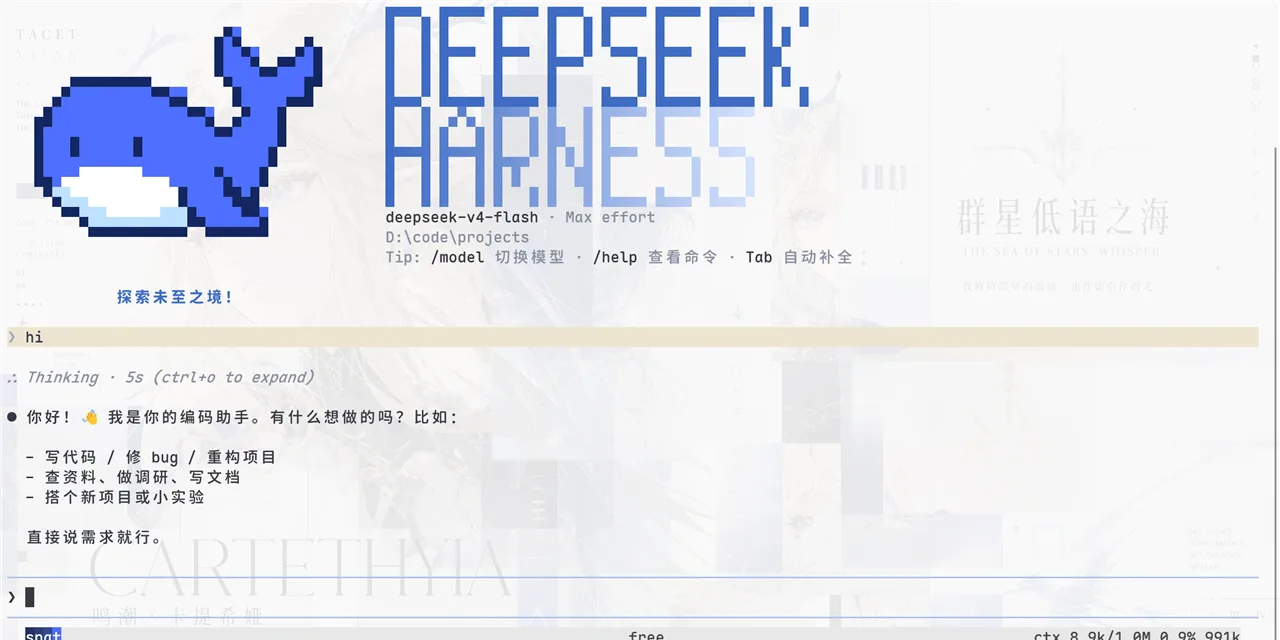
An Electron desktop shell for the DeepSeek Harness (dsh) Web GUI: it spawns dsh web, waits for the server's readiness line, and hosts the GUI in a standalone window with tray residency.
The shell targets the public @deepseek-ai/dsh package. It relies only on the maintained dsh web --host <host> --port <port> arguments and the dsh web: <URL> readiness line.
This repository is an independently maintained DSH desktop-shell project. It carries no harness source code; the backend is provided by a dsh installation on the host.What this is
The Web GUI is the harness's richest surface but normally lives in a browser tab: no taskbar presence, no tray, and every launch means opening a terminal and keeping the tab alive. This shell makes it a real desktop window.
It is a shell only. It bundles no Node runtime and no harness closure — it runs whatever dsh web your machine already provides, so it stays correct across harness upgrades instead of pinning a snapshot.
| Window | Sandboxed renderer (sandbox: true, contextIsolation: true, nodeIntegration: false, no preload) — the GUI is a normal web application |
| Tray residency | Closing the window hides it; the server keeps running. Only Quit terminates the server |
| Single instance | A second launch focuses the existing window instead of starting a second server |
| No orphans | Quit tree-kills the server; a reaper child also tree-kills it if the main process is ever hard-killed |
| Platforms | Windows, macOS, Linux — pure Node/npm toolchain, no Rust/Go/Swift |
Requirements
A working dsh web, resolved in this order:
DSH_BIN— an explicit path to adshexecutable;DSH_HOME— a harness checkout root (~/.dsh/source/currentfor aninstall.shinstall). Its builtapps/cli/lib/bin.jsis preferred; otherwise the tsx source launch is used, exactly as the checkout's ownpnpm run dshdoes;dshonPATH.
On Windows, the spawn boundary automatically resolves npm command shims reached through either DSH_BIN or PATH, including .cmd files. Arguments remain a separate vector: the shell does not enable a general command shell and does not require users to locate the package's JavaScript entry point.
The server always listens on 127.0.0.1 with an OS-assigned port (--port 0), so it can never collide with an existing dsh web — a browser instance and this shell can run side by side.
Run from source
npm install
DSH_HOME=~/.dsh/source/current npm run dev
Package
npm run dist        # installers under release/
npm run dist:dir    # unpacked dir only, for a quick smoke
Installers are unsigned, so Windows SmartScreen and macOS Gatekeeper will warn on first run. The packaged app still needs a dsh on the host — see Requirements.
Behavior notes
- Windows permission mode. Windows has no harness confinement backend, so the CLI's default
workspace-writemode cannot boot there. WhenDSH_PERMISSION_MODEis unset the shell falls back todanger-full-access(approval prompts disabled) and logs a warning. SetDSH_PERMISSION_MODEexplicitly to override. - Tree termination. On Windows the kill is
taskkill /T /F, becausechild.kill()isTerminateProcessof the direct child only. On POSIX the server is spawned detached and the whole process group is signalled, SIGTERM then SIGKILL after a grace period. The server does not run a graceful-dispose path; session data is written per event to JSONL, so a killed server loses nothing already logged. - External links. Anything that opens a new window or navigates off the server origin goes to the system browser, restricted to
http(s); unparsable targets are dropped. - Workspace semantics are the CLI's: the invoking directory is the default project root. Launching from a desktop shortcut starts in the shell's cwd, so prefer opening the app from a project directory or picking the Workspace in the GUI.
- Logs. The server's stdout is forwarded with a
[dsh web]prefix; run the app from a terminal to see both streams.
Tests
npm test        # 31 keyless cases: command resolution/spawn, readiness parsing, HTTP polling
npm run test:electron:windows # built Electron lifecycle through a Windows npm .cmd shim
npm run typecheck
npm run dist:dir # unpacked app plus packaged production-closure verification
Credits
The shell, the launcher, and the process-tree primitive were developed in a harness fork and contributed upstream; this repository is the standalone extraction. Related standalone shells: dsh-desktop (Go/Wails, Windows), dsh-desktop-mac (Swift/WKWebView), deepseek-harness-desktop (Wails + Node SEA).
License
MIT, matching the harness.