
DSH Service Console






⭐ Drop a Star if it helped — it makes the author's day · ★ Give a Star
A local development service console for DSH: discover listening ports, identify services related to the current conversation or workspace, and safely inspect, stop, or restart them.
Single-purpose plugin for the DeepSeek Harness web UI. When the model (or you) starts a local dev server (npm run dev, Vite, Next.js, Uvicorn, Express, Rust, …), Service Console shows it in one place: which ports it listens on, which command and working directory started it, whether it belongs to this conversation or workspace, and whether it is safe to stop or restart.
Features
- Discovery — scans listening TCP ports and correlates PID, PPID, command, working directory, process group and start time (macOS/Linux).
- Ownership & risk — five-level attribution:
This chat(matched against the session launch ledger),Workspace,Other local,Unknown,Protected. - Control — graceful stop to the process group, restart with a safe saved launch command. Every action is confirmed twice and re-validated against the current snapshot.
- Safeguards — PID-reuse / fingerprint checks before any signal; unknown and protected services are read-only; force-kill is off by default; no implicit auto-cleanup; command output is redacted.
- All local services — every listening service on this machine is visible; ownership is shown as a safety signal rather than a hidden category filter.
- Search, config, i18n — keyword filtering, graceful timeout / force-kill settings, and automatic Chinese/English labels from DSH's active locale.
- On-demand scanning — opening the console fetches the current snapshot once; use the refresh button for an explicit rescan. There is no background polling.
- DSH-native inspector — an expanded service record card presents process identity, ports, command, working directory and ownership evidence in the Web UI's token-based visual language.
Install
Native package (recommended):
dsh plugin --profile web add -w @jiyr0119/dsh-service-console@latestThen refresh the DSH web UI — a 🖥 SC entry appears in the conversation header and opens the console panel.
Note: a plugin being listed in dsh-market/awesome does not mean its UI auto-appears — this package ships both Host routes and a browser bundle, so after dsh plugin add the panel is present. Works on macOS / Linux; Windows is not supported yet.Alternative — dynamic paste (zero-build, process-local): paste dynamic/host.js + dynamic/client.js via the dynamic Cordis plugin flow.
UI preview
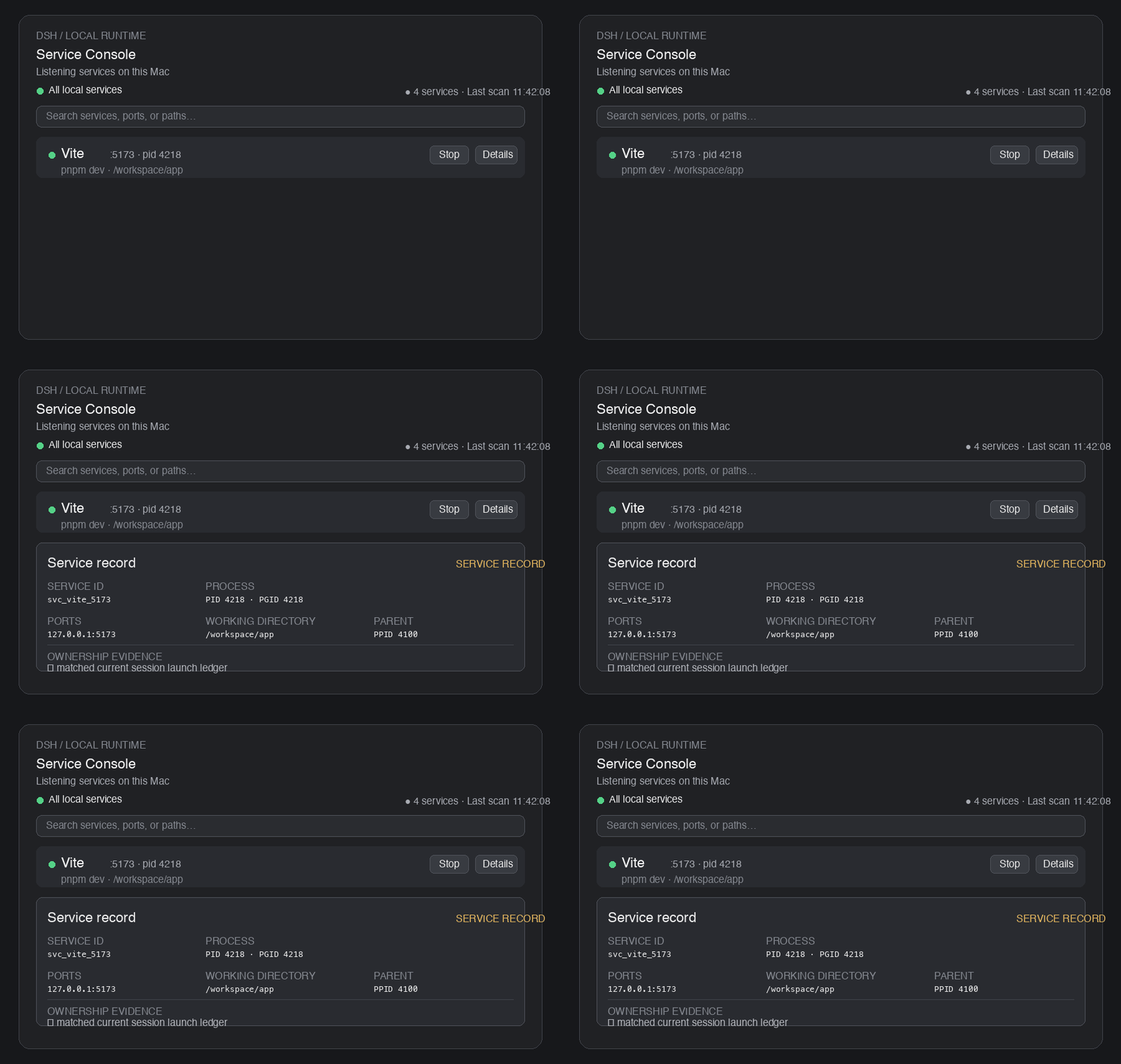
The preview shows the complete local listening-service list and the expanded inspector card. The ownership badge remains visible as a safety signal, while the list itself is no longer split into conversation/workspace/machine categories.
→ Interactive Demo — try the Service Console UI in your browser (no installation required).
Permissions & safety
- The client never sends raw PIDs or shell commands; it targets a service ID and the Host re-validates PID / start time / fingerprint before acting.
- Graceful termination first (SIGTERM to the process group); SIGKILL only when explicitly enabled and confirmed.
- Sensitive tokens/passwords in command summaries are redacted.
- This plugin is not a general process manager: system-critical, high-privilege, unknown and protected processes are read-only.
Development
pnpm install
npm run typecheck
npm run build
npm test          # unit + integration tests (node --test)
Testing
npm test builds once and runs the whole suite with Node's built-in test runner (node --test). No extra test framework is required.
| File | Type | What it covers |
|---|---|---|
test/process-inspector.test.mjs | Unit | Platform output parsing (parseLstart, parseListenRows, parsePsRows, parseAddress), command redaction, five-level ownership classification |
test/host-more.test.mjs | Unit | Config validation, session ledger, lifecycle state machine (stop/restart) with fake dependencies, service aggregation & fingerprint stability |
test/integration.test.mjs | Integration | Real system commands + a temporary HTTP server spawned by the test itself; signals are only ever sent to test-owned processes |
npm test                                   # full suite
npm run build && node --test test/process-inspector.test.mjs   # run a single file
Unit tests import the built output under lib/, so the sources must be compiled first — npm test handles this automatically.
License
MIT
