
dsh-skill-manager

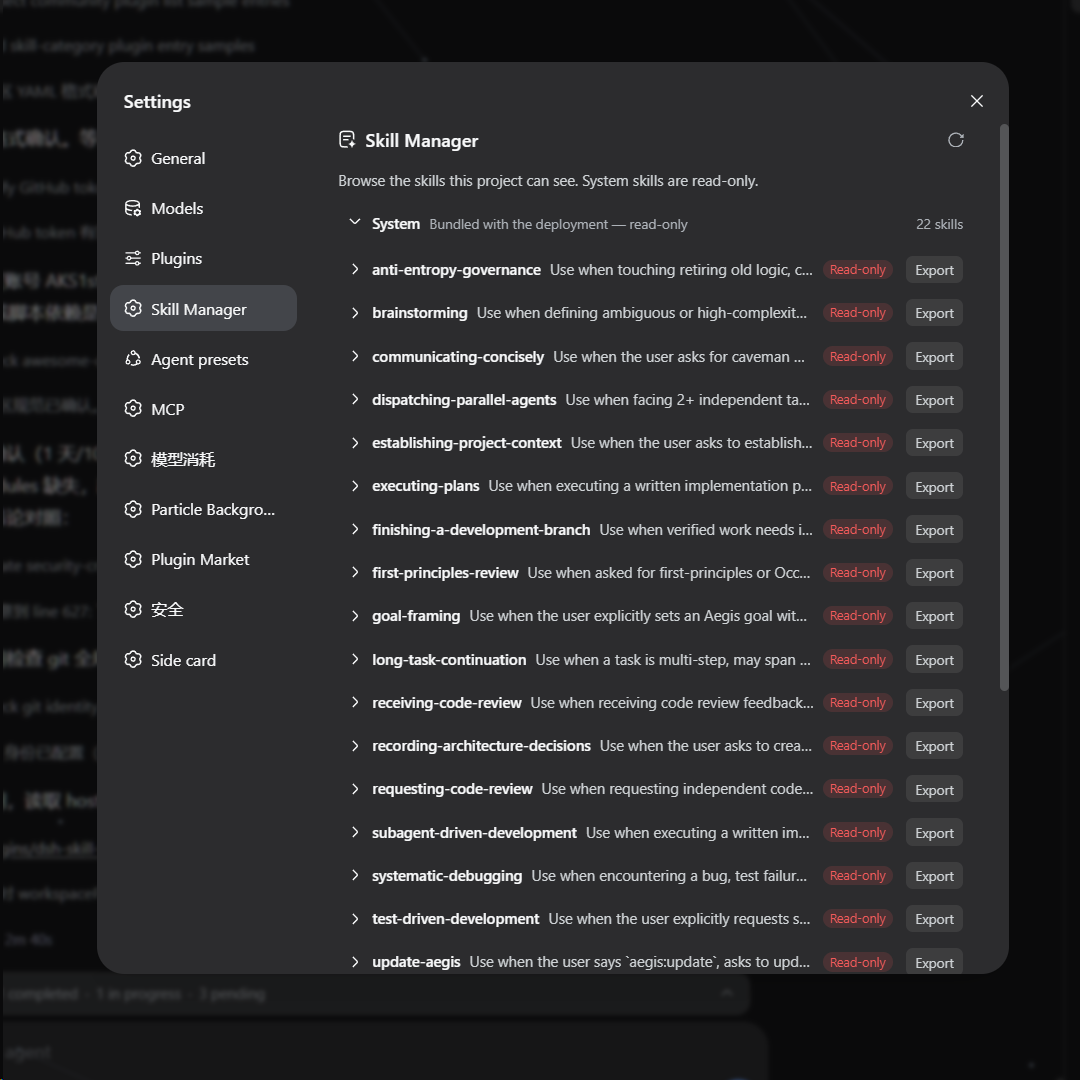
A DSH web plugin that adds a Skills page to the settings panel (opened from the sidebar-foot Settings trigger). It shows every skill the deployment can see, grouped into system / user / workspaces / preset tiers, and lets you manage them without touching the filesystem by hand:
- Browse — expand a skill to its directory file tree; system (bundled)
skills are read-only, user and workspace skills are fully manageable.
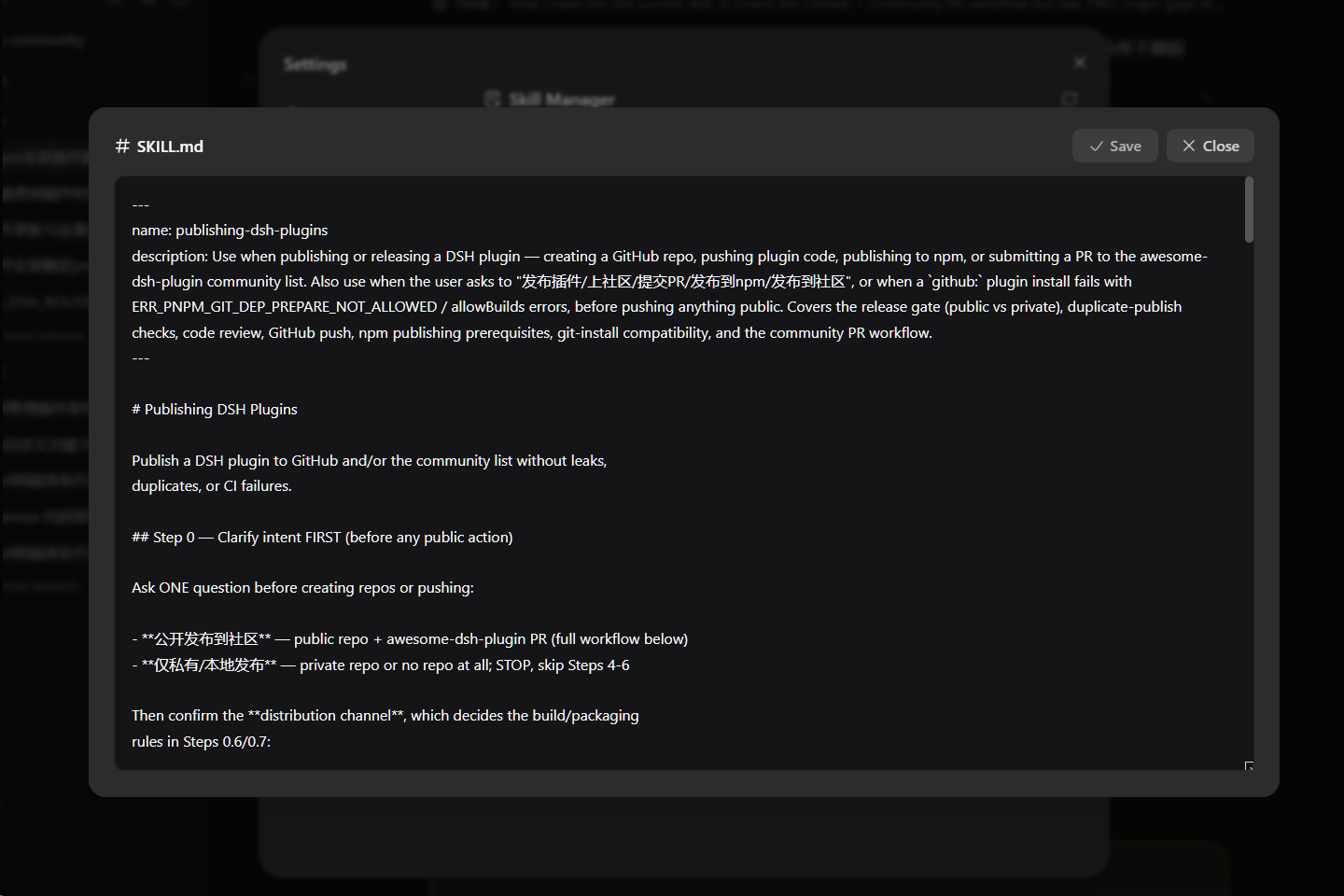
- Edit — click a file to open a view/edit window and modify the skill's
content directly.
- Import — upload a zip package to install skills into your user skills
directory or any workspace (blank workspaces included, sorted last).
- Export — download any skill as a zip, read-only ones included.
- Delete — remove writable skills with a two-step confirmation.
Screenshots
The Skills page inside the settings panel:
The file editor window (click a file to open it):
Install
dsh plugin --profile web add https://github.com/AKS1st/dsh-skill-manager
dsh web   # restart the web service for the profile change to take effect
Installs straight from the GitHub repository (pnpm git-source install).
How it works
The plugin has two parts that work together:
- Server side (runs inside the dsh service,
src/index.ts): reads the
skills dsh already knows about and serves them to the page, and handles the file operations the page triggers — listing a skill's files, reading or saving a file, importing a zip, exporting a skill, and deleting a skill. Write and delete are only allowed for user and workspace skills; system skills (the ones dsh ships with) and preset-provided skills are read-only.
- Browser side (the settings page,
src/client/): shows the catalog
grouped into system / user / workspaces / preset sections. Workspaces and presets appear as collapsible groups (blank workspaces included, sorted last, as import targets). Clicking a skill expands its file tree; clicking a file opens an editor. The user section and every workspace heading have an Import button (zip upload); every skill row has Export (downloads a zip); writable rows also have Delete (two-step confirm). All styling uses dsh's theme tokens, so the page follows light/dark mode.
Everything is additive — no changes to dsh itself are needed.
Model Experience
- Token effects: the plugin adds no model-visible tokens. The page is a
user-facing browser UI; it only reads the same skill catalog the model already sees, and file edits are user-initiated, not model actions.
- KV-cache: none.
Development
pnpm run check   # tsc --noEmit
pnpm run build   # tsc + tsdown (lib/index.js, lib/client.js, lib/invariant.js)
pnpm run test    # vitest
The @deepseek-ai/* packages are declared as devDependencies; at runtime they resolve from the dsh installation that loads the plugin. The client-bundle build scaffold (tsdown.client.ts + build/web/src/platform.ts) is a check-in snapshot of the harness's shared preset so the repo builds standalone.
