
dsh-visual-plugin






Analyze images and videos with DSH's native vision models and inspect the results in a Web UI right panel.
A plugin for DeepSeek Harness.
Features
- Native image understanding — uploaded images stay on DSH's native attachment and model path; the plugin does not configure or call a separate vision model.
- Copyable image history — the right panel records the current DSH model's final answer beside each image thumbnail, with expandable history and one-click copy.
- Plugin-owned video upload — accepts MP4, M4V, MOV, AVI, MPG/MPEG, MKV, and WebM only when extension, signature, and FFprobe agree.
- Scene-aware video analysis — normalizes to H.264/yuv420p MP4, extracts keyframes with PySceneDetect, and sends ordered timestamped images to the current DSH vision model.
- Right-side panel — switch between image/video views, play normalized videos directly, and stage a selected video in the chat draft.
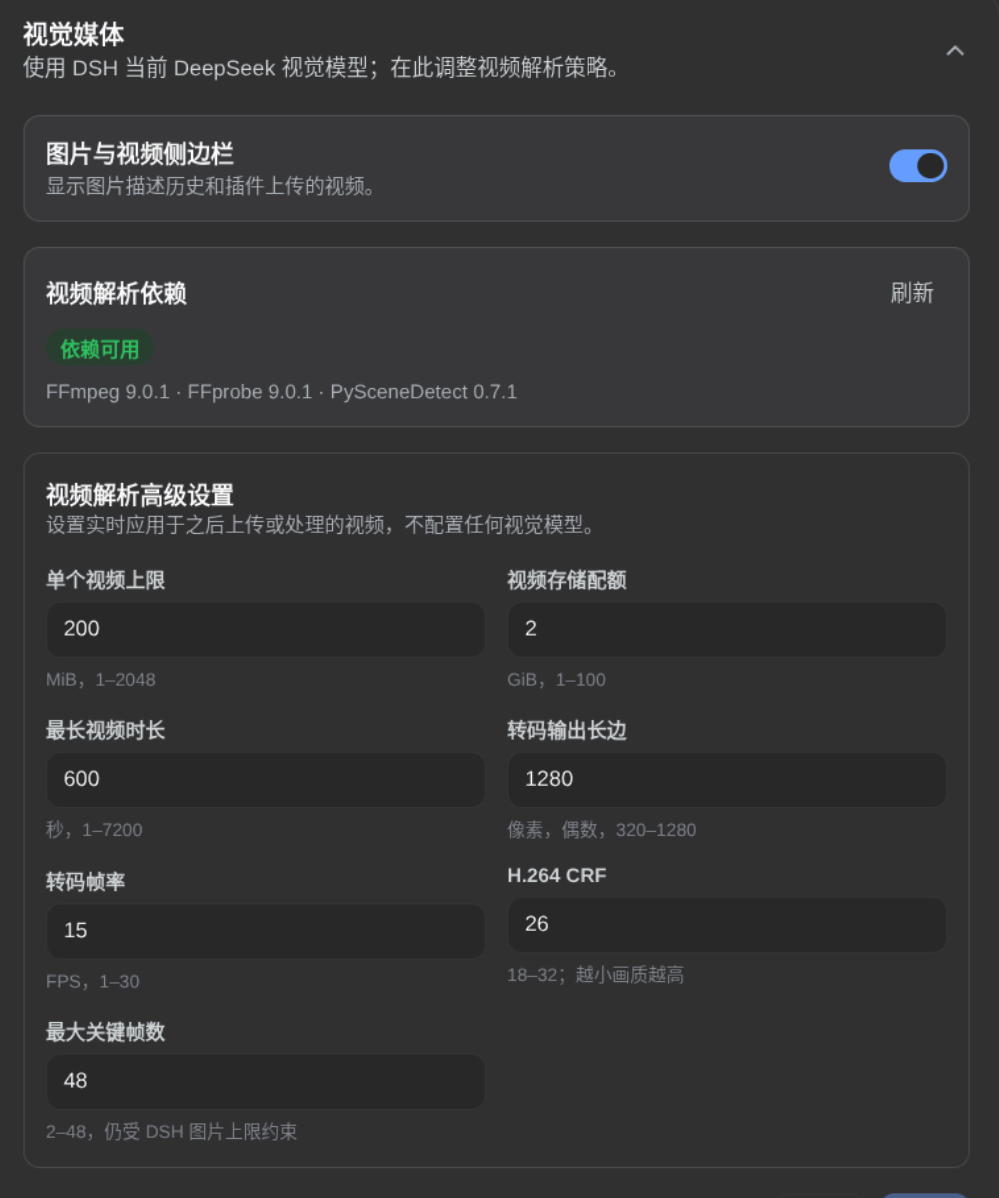
- Advanced video settings — tune upload size, storage quota, duration, output size, FPS, CRF, and keyframe count from the plugin settings card.
How it works
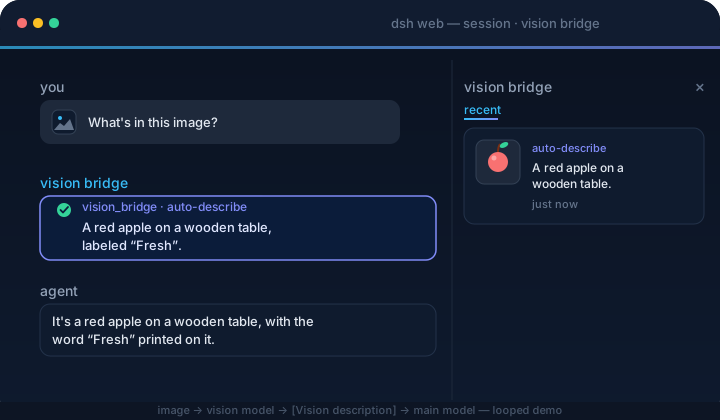
image → DSH native attachment → current image-capable model → final answer
  → /vision-bridge/recent → panel thumbnail + copyable description

video → container validation → H.264/yuv420p normalization → PySceneDetect
  → timestamped keyframes → DSH native image attachments → current model answers
The plugin never rewrites model messages or calls a private vision endpoint. Select an image-capable model in DSH before sending images or asking about a video.
Quick start
Video support requires FFmpeg/FFprobe >= 6.1 from the same major release (with libx264) and PySceneDetect >= 0.7.1 < 0.8 installed on the host:
ffmpeg -version
ffprobe -version
python -m pip install 'scenedetect[opencv]>=0.7.1,<0.8'
scenedetect version
The plugin never downloads these tools or runs installers. Image features remain available when they are missing, and the settings card reports each video dependency issue.
dsh plugin --profile web add dsh-visual-plugin # or: github:jyh20030112/dsh-visual-pluginWhen developing this checkout against a local DeepSeek Harness source tree, install the local package instead:
cd /absolute/path/to/dsh-visual-plugin
npm run bootstrap
dsh plugin --profile web add link:/absolute/path/to/dsh-visual-plugin
bootstrap automatically finds a sibling or ancestor-adjacent Harness checkout. For another layout, set its location explicitly:
HARNESS=/absolute/path/to/deepseek-harness npm run bootstrapRestart dsh web, then:
- Open Settings → Plugins → Plugin configuration and expand the Visual Media card. Use Sidebar to show or hide the right panel, and adjust the advanced video settings when needed.
- Select an image-capable model in DSH; there is no separate vision-model configuration in this plugin.
- Send an image. The current model answers natively, and the image panel records the thumbnail and final answer for copying.
- Upload a video from Upload video beside the composer. Once processing finishes, select Videos in the right panel to play it; Ask in chat stages a draft and never submits automatically.
Vision model
Image and keyframe understanding use the image-capable model currently selected in DSH. Model providers, endpoints, and credentials are managed by DSH rather than this plugin.
Uninstall
dsh plugin --profile web remove dsh-visual-pluginRestart dsh web. The command forwards to pnpm remove inside the profile, and the bundle layer list reconciles to drop the plugin automatically.
Project layout
src/
  index.ts      native image history, video_describe tool, settings, and HTTP routes
  config.ts     advanced video-processing settings and runtime policy
  video/        upload, container probing, transcoding, scene detection, keyframes, and HTTP Range playback
  client/       image/video panel, upload controls, advanced settings, locales, and CSS
cordis.patch.yml  bundle patch layer
Build
npm run bootstrap && npm run typecheck && npm run build # needs a local harness checkoutPrebuilt lib/ is committed, so consumers never build.
CI/CD
ci.yml verifies artifacts and the pack contents on every push/PR. release.yml (tag v*) checks the version, packs, creates a GitHub Release, and publishes to npm.
Resources
- DeepSeek Harness — the plugin host this project extends.
- PySceneDetect — scene detection used to select video keyframes.
- awesome-dsh-plugin — the curated DSH plugin list where this plugin is registered.
Friendly Links
Thanks
- HsiangNianian — for their help and insights during development.
- tingfeng347 — for the build-stability and local-harness-setup fixes.
- dsh-auto-continue — a DSH Web UI plugin that auto-resumes interrupted requests with 「继续」 (error classification, adaptive backoff, browser notifications); a handy companion.
