
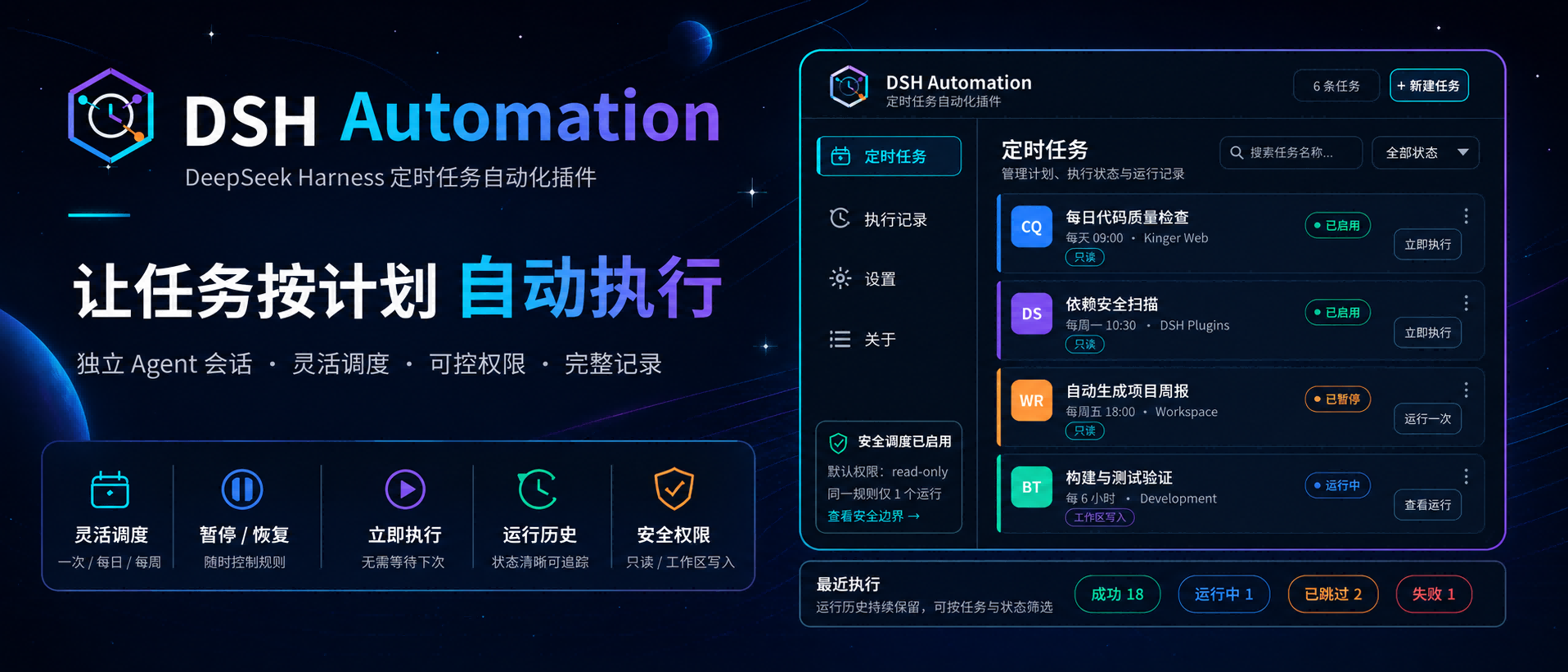
DSH Automation
Run standalone coding tasks on a schedule in DeepSeek Harness
简体中文 · Changelog · Apache-2.0





DSH Automation is a community-maintained DeepSeek Harness (DSH) plugin, not an official DeepSeek AI product.
Features
Let DSH handle work on a schedule. Set up tasks in Settings or describe the timing and requirements in a conversation, then review each run.
- Run once or repeat: choose intervals, hourly, daily, weekly, monthly, or every N days.
- Choose the working environment: set the directory, model, skills, and permissions.
- Adjust the schedule anytime: create, pause, resume, run immediately, or delete tasks.
- Review results: browse task conversations by name and run time in the Scheduled tab, or filter run history in Settings.
- Keep each run independent: each run uses the saved task instructions and does not inherit the conversation that created it.
Interface
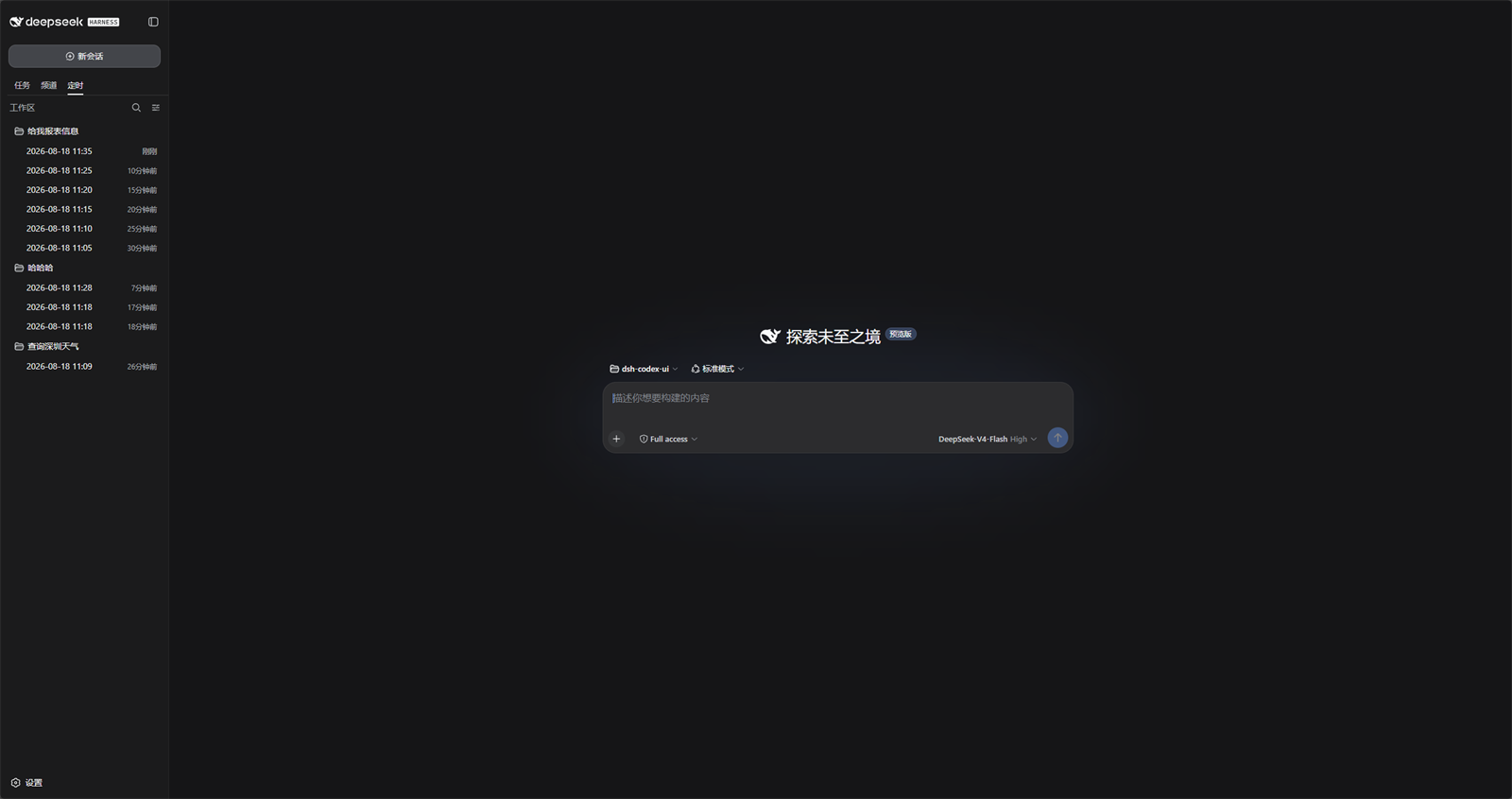
Scheduled tasks live in the workspace Scheduled tab, next to Tasks and Channels:
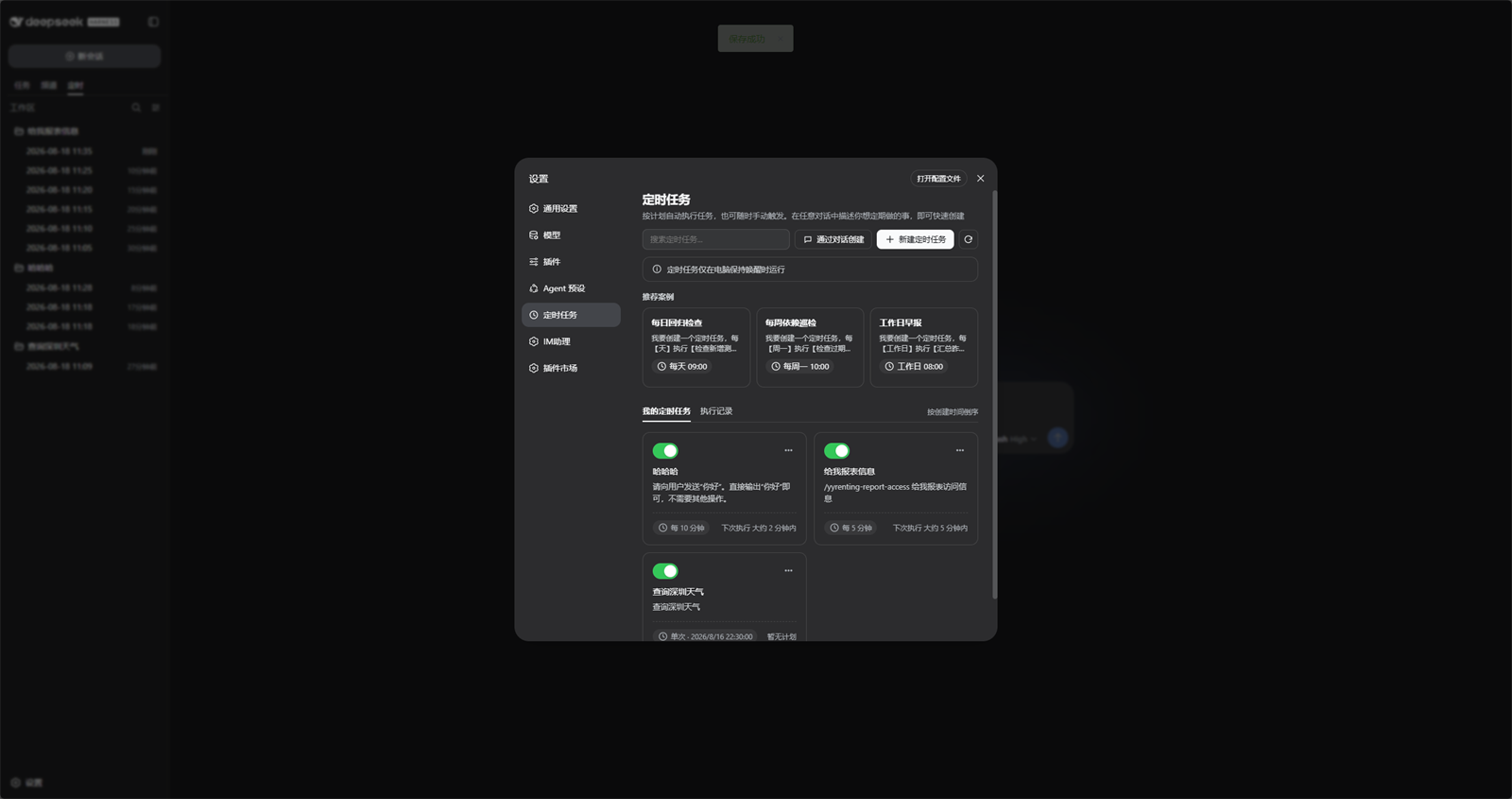
Open Settings → Scheduled Tasks to search, create, pause, and inspect rules:
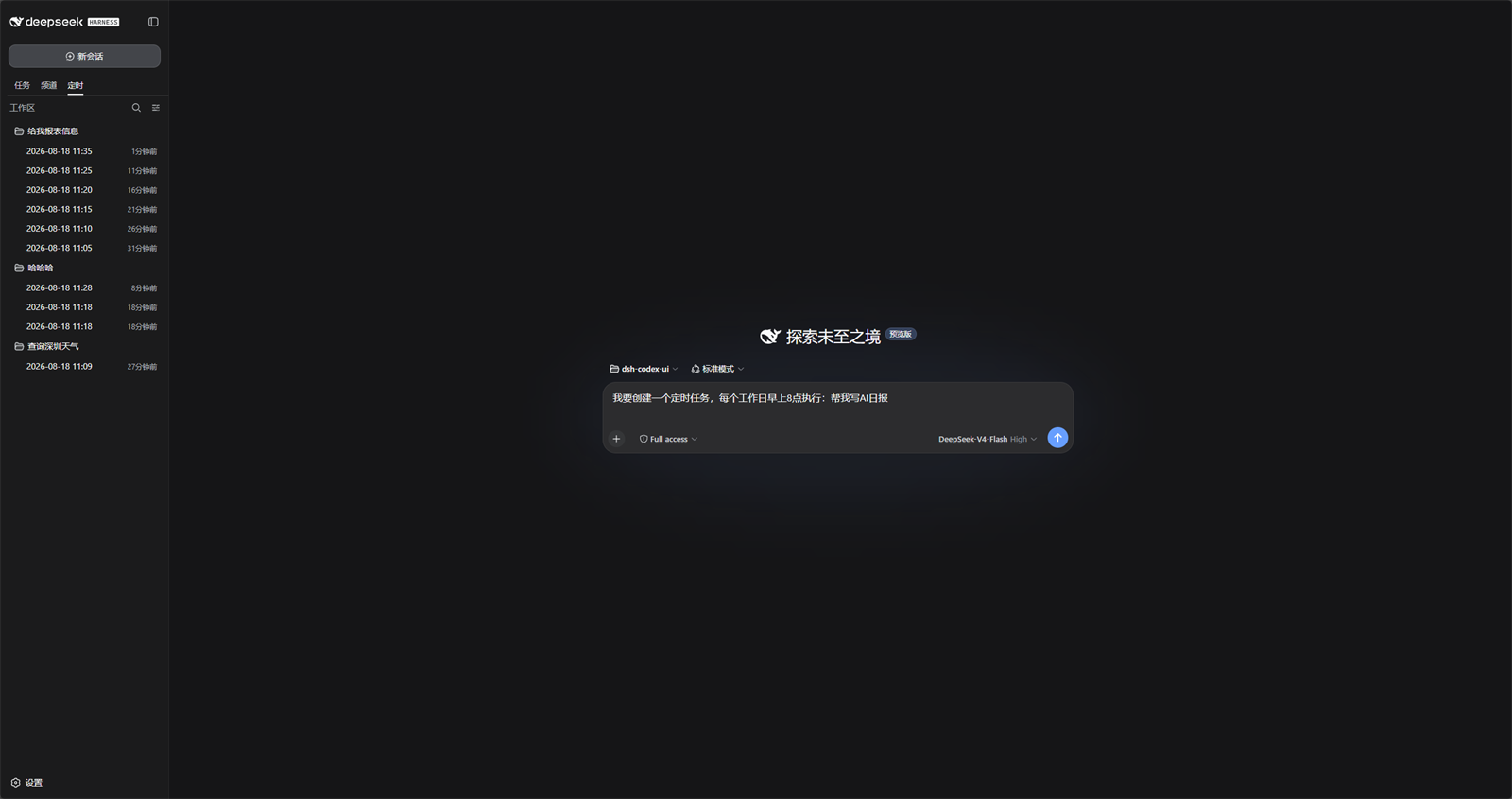
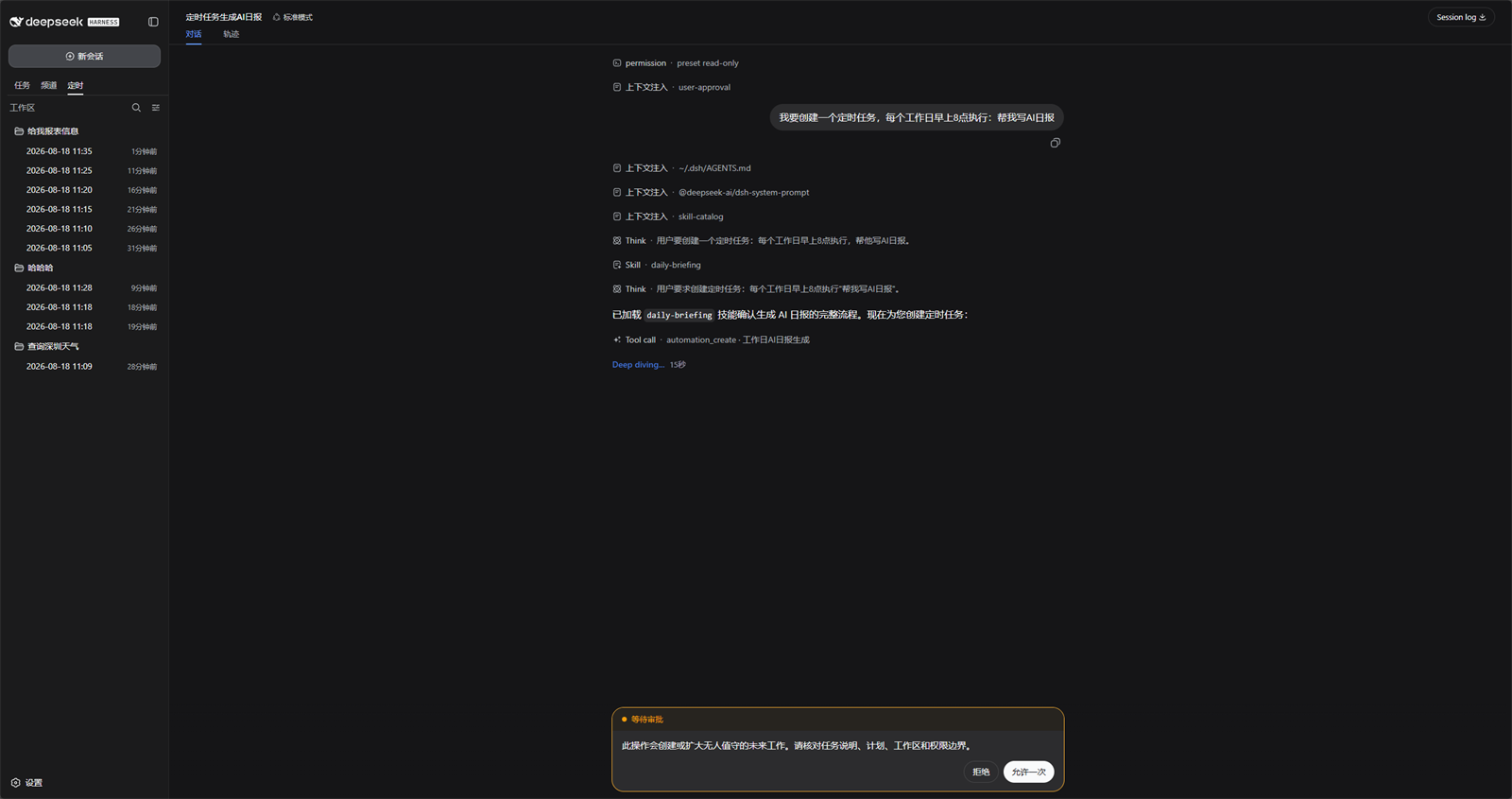
Describe the job in chat. DSH handles approval according to the selected permission mode:
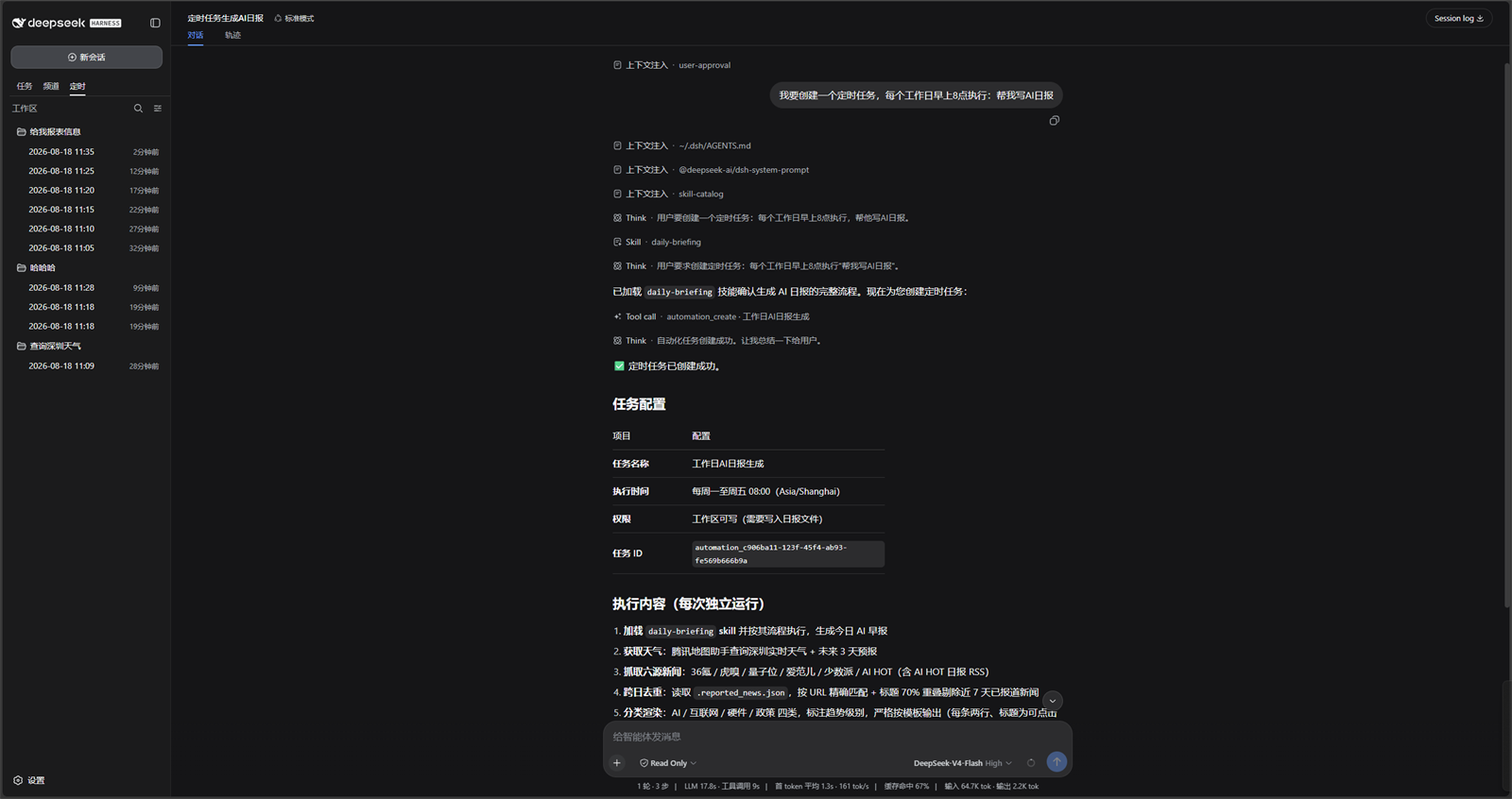
After approval, the rule is saved and summarized in the conversation:
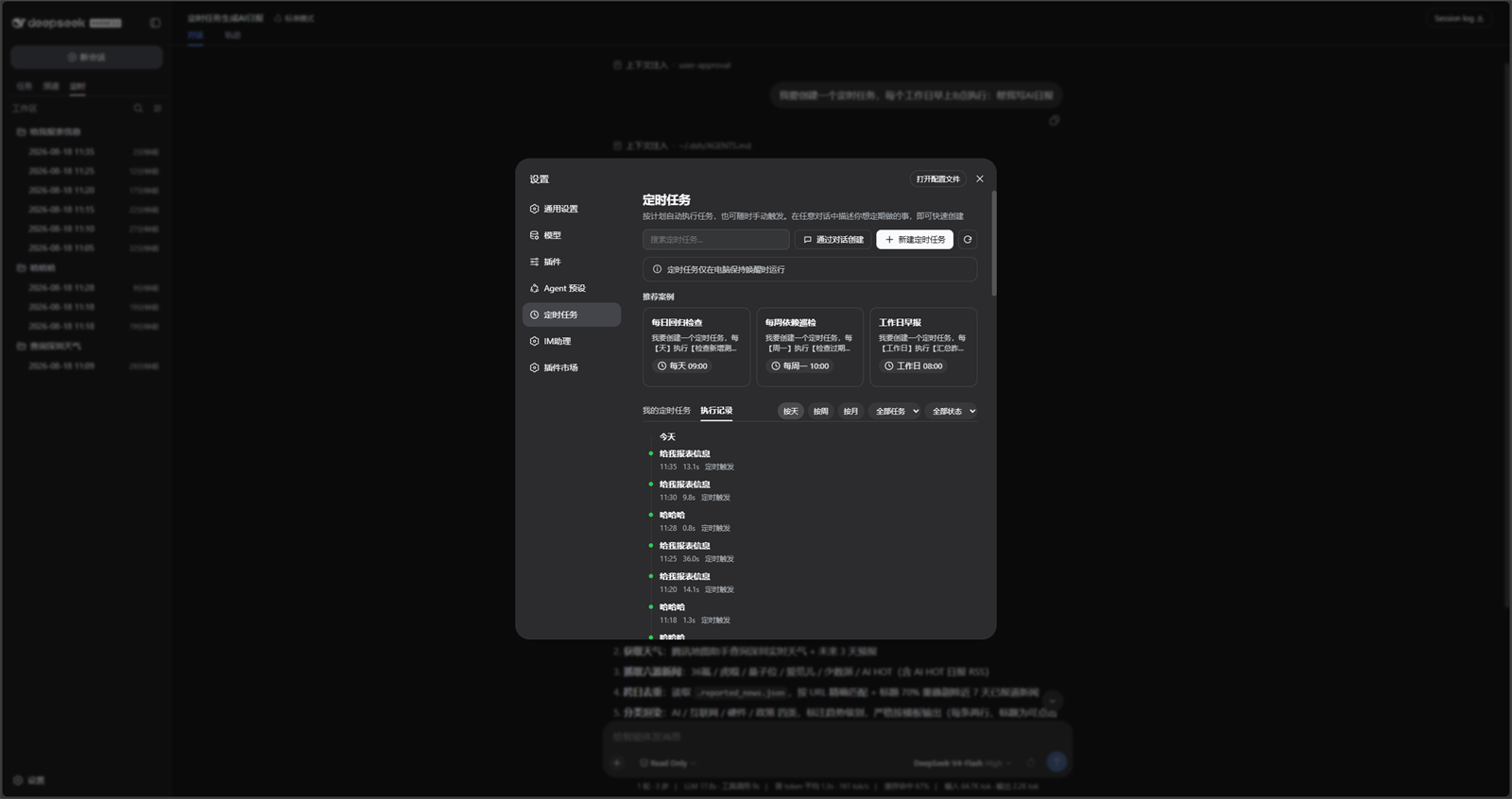
Run history stays in Settings and can be filtered by day, week, month, task, or status:
DSH product ecosystem
For a ready-to-use workbench, download DSH Codex Desktop. If you already use DeepSeek Harness, install any of these eight plugins individually. The desktop app includes all eight.
| Plugin | What you can do |
|---|---|
| Codex UI | Organize projects and conversations, search tasks, and navigate chat turns |
| IM Connect | Send tasks and receive replies through your usual messenger |
| Automation | Schedule tasks and review each run |
| Skills Manager | Find, enable, create, and import local skills |
| Archive Manager | Search, restore, or clean up archived conversations |
| Agency Agents | Choose and summon specialists for your task |
| BTW | Ask side questions without interrupting the main task |
| Simplify | Use /simplify to improve code within your Git changes |
Prerequisites
- A working DeepSeek Harness Web installation with
dshavailable in PowerShell. - Examples use the
webprofile; replace it with the target profile. - Source installation and development require Node.js 22.19+. npm installation does not require running
npm installin an arbitrary directory.
Installation
The installation commands below use the official npm registry.
Ask an agent to install it (recommended)
Send the prompt below to any agent that can run terminal commands on your computer. Replace web with your actual profile. Once installed, use the plugin in DSH.
Install the DSH plugin @michengai/dsh-automation into my local web profile by running: dsh plugin --profile web add @michengai/dsh-automation@latest --registry=https://registry.npmjs.org/. Then run dsh --profile web --dump-config, confirm the configuration includes dsh-automation, and explain how to reload DSH and start using the plugin.Install from npm
[Console]::OutputEncoding = [System.Text.Encoding]::UTF8
$OutputEncoding = [System.Text.Encoding]::UTF8
dsh plugin --profile web add @michengai/dsh-automation@latest --registry=https://registry.npmjs.org/
dsh --profile web --dump-config
Restart DSH Web and hard-refresh the browser. Pin a version with @0.1.5 instead of @latest when needed.
Updates
The settings title shows the installed version and a Check for updates button. When a newer release is available, Update automatically runs only when the DSH CLI or Desktop update service is available; otherwise, the dialog provides a profile-specific manual command to copy and run.
Usage
Open Settings → Scheduled Tasks, then use the panel as follows:
| Goal | Action | Scope |
|---|---|---|
| Create a rule | Select New scheduled task, then set name, schedule, prompt, workspace, model, skills, and permission. | Host-wide |
| Create from chat | Describe the schedule in any conversation, or select Create in chat. | Current conversation |
| Pause or resume | Use the switch on a task card. | One rule |
| Run now | Open the card menu and select Run now. | One rule |
| Delete | Open the card menu and select Delete task. Run history is kept. | Definition only |
| Inspect runs | Open Run history, then filter by day, week, month, task, or status. | Host-wide |
Each dispatched run uses the saved prompt, workspace, model, and permission boundary. It does not reuse approvals from the source chat.
Safety boundary
| Item | Behavior |
|---|---|
| Permission | Options and the default come directly from the Host permissionPresets service, including custom presets. |
| Tool calls | Follow Host tool availability, permission, and approval checks without an additional fixed tool allowlist or a background-shell ban. The Host manages background processes. |
| Full access | The official danger-full-access option uses the same risk confirmation and orange warning as Chat. |
| Approval | Chat create follows the session policy. Full access (never) proceeds; Workspace Write / Read Only (ask) shows the official card. Unattended runs stay fail-closed never. |
| Retry | No automatic retry after a started run. |
| Host restart | Leftover queued / running records become failed(host_interrupted). |
| Overlap | One active run per rule. A colliding occurrence is recorded as skipped(overlap). |
A schedule stores future intent. It is not a cached permission grant.
Development
Install from source
Use this for debugging or unpublished changes. The cloned directory becomes the plugin source path:
[Console]::OutputEncoding = [System.Text.Encoding]::UTF8
$OutputEncoding = [System.Text.Encoding]::UTF8
Set-Location D:\Repository\deepseek-harness-plugin
git clone https://github.com/MichengAI/dsh-automation.git
Set-Location .\dsh-automation
pnpm install
pnpm test
pnpm build
dsh plugin --profile web add .
dsh --profile web --dump-config
Restart DSH Web and hard-refresh the browser. Local installation reads and applies cordis.patch.yml; do not copy lib files manually.
Current sources live in src and build into lib:
- src\index.ts: Host plugin, tools, and RPC.
- src\service.ts: Durable definitions, clock, and run admission.
- src\client\index.ts: Settings page and chat prefill.
tests\*.test.ts: Domain, recurrence, service, client, and package-contract tests.
After changing files, run tests, rebuild, and reinstall from the local directory:
[Console]::OutputEncoding = [System.Text.Encoding]::UTF8
$OutputEncoding = [System.Text.Encoding]::UTF8
pnpm check
dsh plugin --profile web add .
Keep the at-most-once dispatch policy, workspace scoping for Agent tools, and fail-closed unattended approval when changing execution code.
Verification
[Console]::OutputEncoding = [System.Text.Encoding]::UTF8
$OutputEncoding = [System.Text.Encoding]::UTF8
pnpm test
pnpm build
pnpm check runs typecheck, tests, and build together.
License
Additional notices are in NOTICE.
This project uses Apache License 2.0.
