
dsh-worktree
A Git worktree plugin for DeepSeek Harness that creates task branches, registers worktrees as DSH Workspaces, and opens isolated sessions.
npm package: @alpacachen/dsh-simple-worktree



简体中文 · English
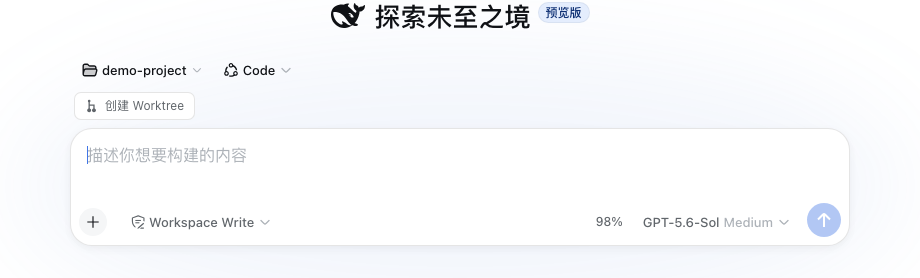
Features
- Create a Git worktree from a new-session action or any Git Workspace menu.
- Choose the current branch or the repository's main branch.
- Register and open the new worktree as a DSH Workspace with an isolated session.
- Create task branches as
task/<name>. - No additional service or project configuration.
- Supports DSH themes, Chinese, and English.
Usage
Install
dsh plugin --profile web add @alpacachen/dsh-simple-worktreeRestart dsh web after installation.
You can also install from GitHub with dsh plugin --profile web add github:alpacachen/dsh-worktree.
Create from a new session
- Open New Session in a Git Workspace.
- Choose Create worktree above the composer.
- Enter a task name. The repository's main branch is selected by default.
- Click Create and open.
Create from a Workspace menu
- Open a Git Workspace menu and choose Create worktree.
- Enter a task name, such as
login-fix. - Choose Current branch or Main branch.
- Click Create and open.
The worktree is created at:
project.worktrees/login-fix/
└── branch: task/login-fix
The new Workspace is named <parent>/<task>. Removing the worktree Workspace does not delete its Git branch.
