
dsh-computer-use-win





给 DeepSeek Harness 装上 Windows 电脑操控能力——MCP stdio 服务器 + PowerShell/UIA 桌面引擎,22 个工具让 agent 能看(UIA 无障碍树、窗口裁剪截图、OCR 词框)也能做(鼠标、键盘、UIA 语义动作、窗口管理)真实的 Windows 桌面应用。
通过 DSH 内置的 @deepseek-ai/dsh-mcp-client 桥接,不改 DSH 本体,零运行时依赖。
① 文件资源管理器:find 定位 + 语义 invoke 选中文件(状态栏"选中 1 个项目") | ② type_text 写入真实文档(剪贴板路径,verifyValue 回读) | ③ UWP 计算器:find 定位按钮 + 语义 Invoke 点击(25×4=100) |
|---|---|---|
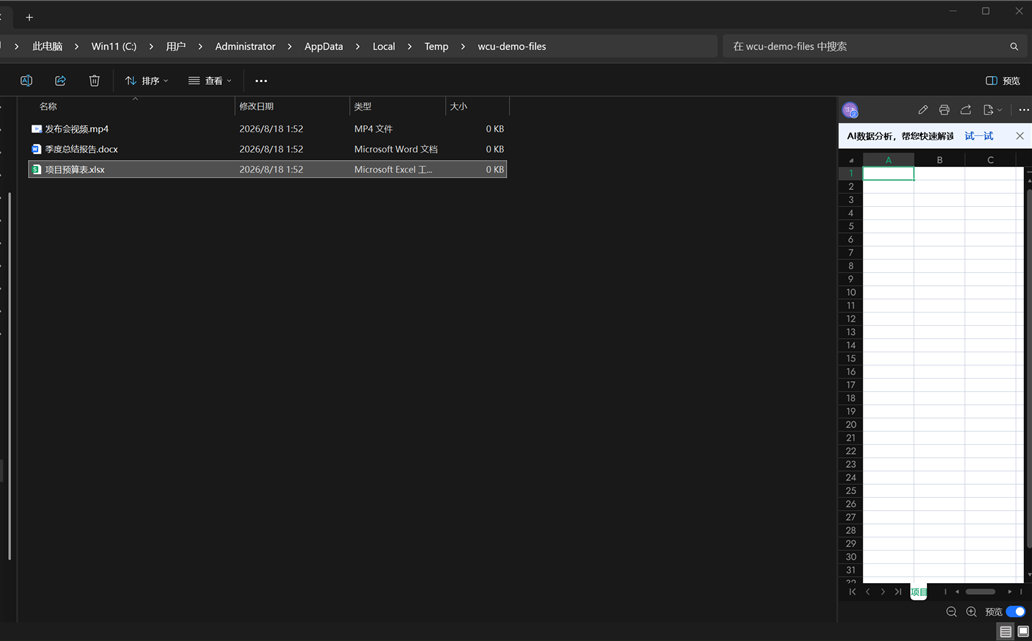 | 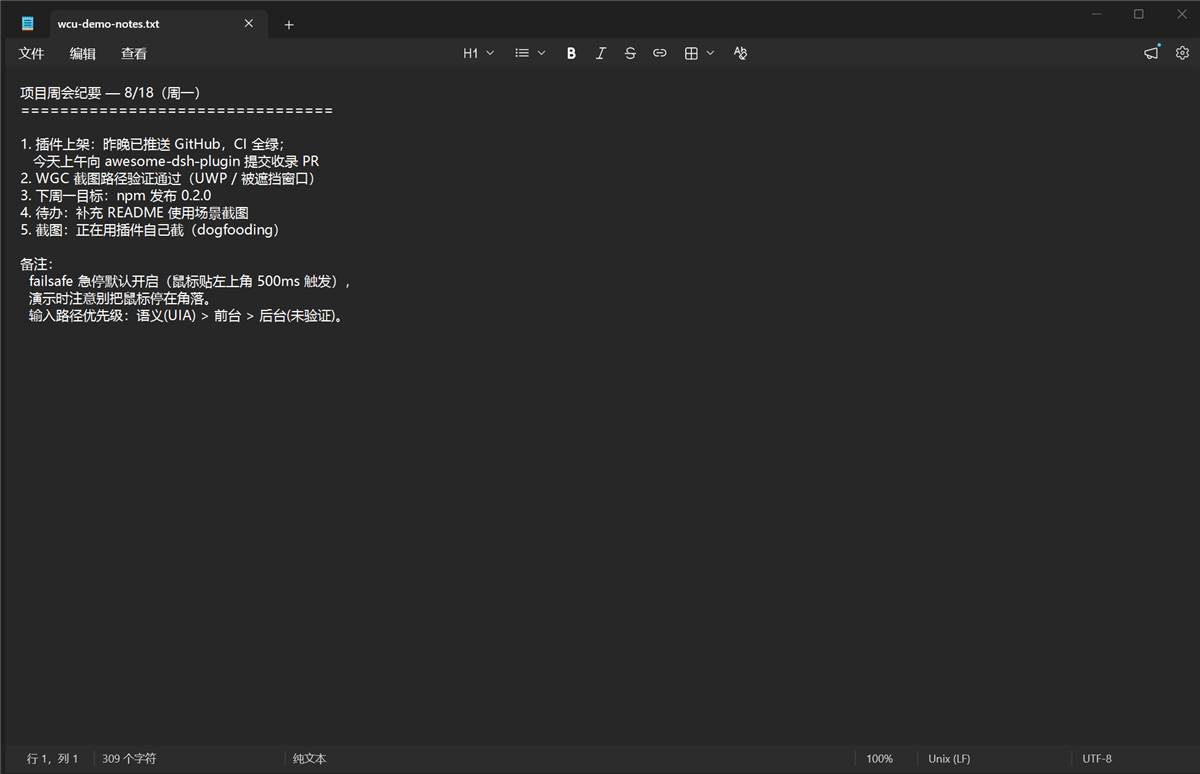 | 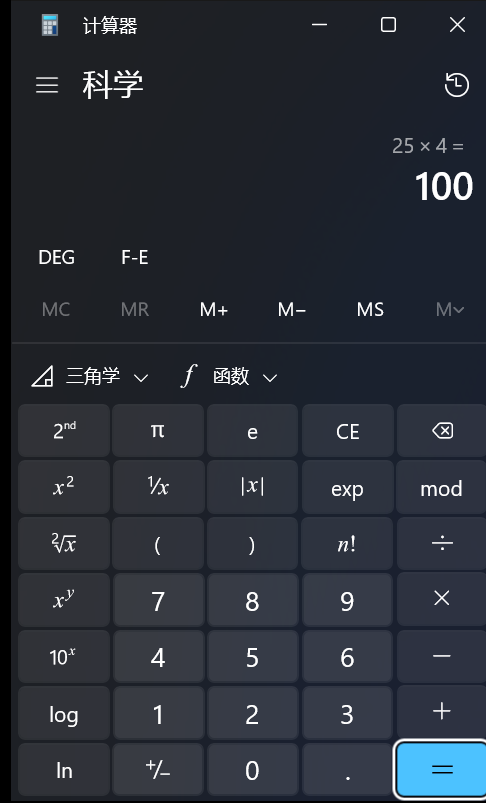 |
特性
- 文本优先的观察——UIA 无障碍树三视图(
control/content/raw);按 name/automationId/类名/值找控件,不靠猜像素。元素 id 用 UIA RuntimeId(UI 刷新后仍稳定,过期报stale而非点错地方)。 - 三级截图链——
PrintWindow(非前台窗口也能抓)→ WGC(Windows.Graphics.Capture,DirectComposition/被遮挡窗口)→ 屏幕区域兜底(带occludedPossible标记)。窗口裁剪 + 降采样 +imageScale/origin坐标映射,PNG 30 分钟自动清理。 - 三条输入路径,诚实上报——语义(UIA pattern,不碰鼠标)/ 前台(
SetCursorPos+ SendInput + 剪贴板 /KEYEVENTF_UNICODE)/ 后台(PostMessage 直进窗口消息队列,不抢前台;投递未验证,如实verified:false——Chromium/Electron/WinUI 会静默丢合成消息,工具会明说)。 - UIA 盲区 OCR 回退——
Windows.Media.Ocr(csc 编译的 C# WinRT 助手);返回文字 + 逐词屏幕坐标词框,query命中后自动回查匹配词下的控件(ControlFromPoint)。 - 内置安全机制
- *坐标 homing*——观察后窗口被移动,点击自动补偿并回报
homed:{dx,dy} - *急停 failsafe*——物理鼠标停屏幕角落 500ms,所有输入被拒(
EMERGENCY STOP),只有人把鼠标移开才恢复 - *identity guard*——按
windowTitle操作时窗口 HWND/PID 变了就拒绝(identity_changed) - *前台校验*——输入 fail-closed:目标窗口不是真前台就直接报错,绝不打进别的窗口
- *Win 键黑名单*——
Win+R/X/L/S类组合按设计拦截 - 持久化后端——一个常驻 PowerShell 进程 + JSON 行协议,热态延迟 6–100ms(首次 ~500ms 冷启动);C# P/Invoke 助手按 hash 编译成缓存 DLL,重启免重编。
安装
# 从 GitHub(--profile 指定装进哪个 profile)
dsh plugin --profile web add github:Yu-tao-Li/dsh-computer-use-win
# 或在 DSH 设置的插件市场(dshmarket)搜索 dsh-computer-use-win
重启 dsh web,工具以 mcp__wincu__windows_computer_use_* 出现。
bundle 在启动时自解析路径(cordis.patch.yml的!!js从所在 profile 解析server.mjs),任何 profile /$DSH_HOME都能装,无硬编码路径。同一 profile 只保留一个serverName: wincu行。
工具清单(22 个,前缀 mcp__wincu__)
| 分组 | 工具 |
|---|---|
| 观察 | health · snapshot(树+截图)· accessibility_tree · list_windows · find · element_info · ocr |
| 动作 | click · double_click · move · drag · scroll · type_text(clipboard/sendinput/background)· keypress · focus · invoke · set_value |
| 窗口 | activate_window · move_window · close_window(WM_CLOSE,应用可弹保存框否决)· wait_for · wait |
所有工具都支持可选窗口定位(windowTitle 子串 / processId / nativeWindowHandle)+ activate: true;不指定 = 当前前台窗口。
架构
DSH agent
   │  模型看到 mcp__wincu__windows_computer_use_* 工具
   ▼
@deepseek-ai/dsh-mcp-client   ← DSH 内置桥接(官方 MCP SDK StdioClientTransport)
   │  JSON-RPC 2.0 over stdio(按行分帧)
   ▼
mcp/server.mjs                ← 本仓库:MCP 服务器(Node ≥22,零依赖)
   │  保活一个持久化后端;JSON 行协议
   ▼
scripts/windows-uia.ps1       ← 本仓库:桌面引擎(PowerShell 5.1 兼容)
   ├─ UI Automation 程序集        → 无障碍树
   ├─ user32 P/Invoke(C# 缓存 DLL)→ 鼠标/键盘/窗口操作
   ├─ Windows.Media.Ocr(C# WinRT)→ OCR
   └─ Windows.Graphics.Capture   → WGC 窗口捕获
安全与限制
- 动作是真实的——敏感操作前让 agent 先
snapshot;重要窗口用windowTitle明确限定。 - WinUI / Chromium / Electron 会丢弃 PostMessage 合成输入(
verified:false是诚实上报,不是成功)。这类目标走前台/剪贴板路径。 - 提权窗口(UAC/管理员程序)UIA 与合成输入都被 Windows 拦截,读不到也点不了。
- 坐标以物理像素为准(显式 Per-Monitor V2 DPI)。
- OCR 对 CJK 按字符给词框(引擎特性),点选足够用。
- 仅支持 Windows。
开发
mcp/server.mjs          MCP stdio 服务器 + 持久化后端管理
scripts/windows-uia.ps1 桌面引擎(one-shot 与 -Persistent 双模式)
test/                   self-test / MCP 协议 / Notepad E2E / 功能综合 / 延迟基准
docs/wiki/              上游架构文档(见 THIRD_PARTY.md)
docs/dev-notes.md 设计原理、踩坑记录、性能数据、测试记录node mcp/server.mjs --self-test # 全栈自检(仅 Windows)
node test/mcp-test.mjs # initialize → tools/list → tools/call
node test/notepad-e2e.mjs # 真实输入端到端(会开记事本)CI(.github/workflows/ci.yml)在每次 push/PR 时于 windows-latest 跑自检 + 协议测试。
许可
MIT,见 LICENSE。本项目是 cgissing/windows-computer-use(MIT)的衍生作品,上游版权声明保留于 THIRD_PARTY.md。
