
DSH Local Share


Select and locally share one or more DeepSeek Harness conversation turns as Markdown, self-contained HTML, or a long PNG, with privacy-first redaction and no uploads. DSH Local Share is an independent community plugin.
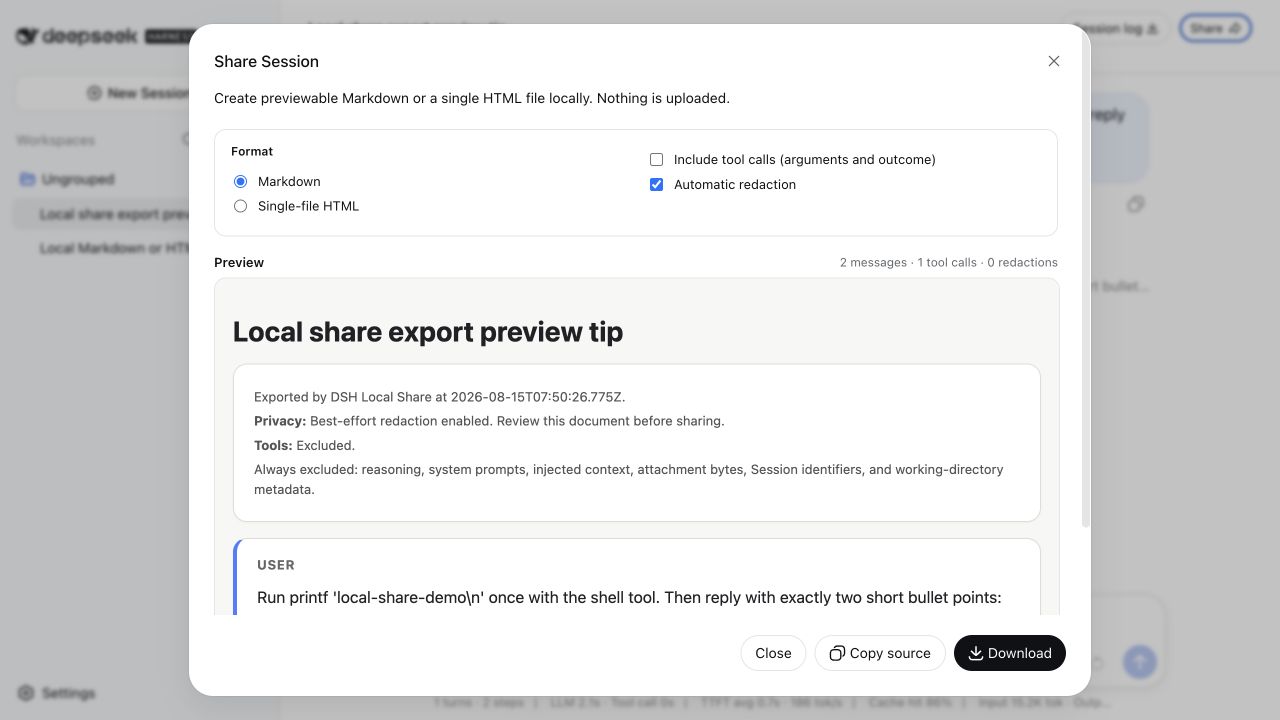
Turn selected conversation turns or a complete DSH Session into a reviewable document without uploading the conversation. DSH Local Share adds a Share action to the Web Session header, builds a local preview, and lets you copy or download the result.
- Select one or more conversation turns, or share the complete Session
- Markdown, one script-free self-contained HTML file, or one long PNG
- Safe GFM rendering for assistant headings, lists, tables, and code
- Best-effort redaction enabled on every dialog opening
- Stable, flicker-free preview before copy or download
- Tool names, bounded arguments, and outcomes are opt-in
- Tool result bodies and model reasoning are never exported
- No cloud service, account, public-link backend, or outbound request
- Zero model-visible text and zero model-token overhead
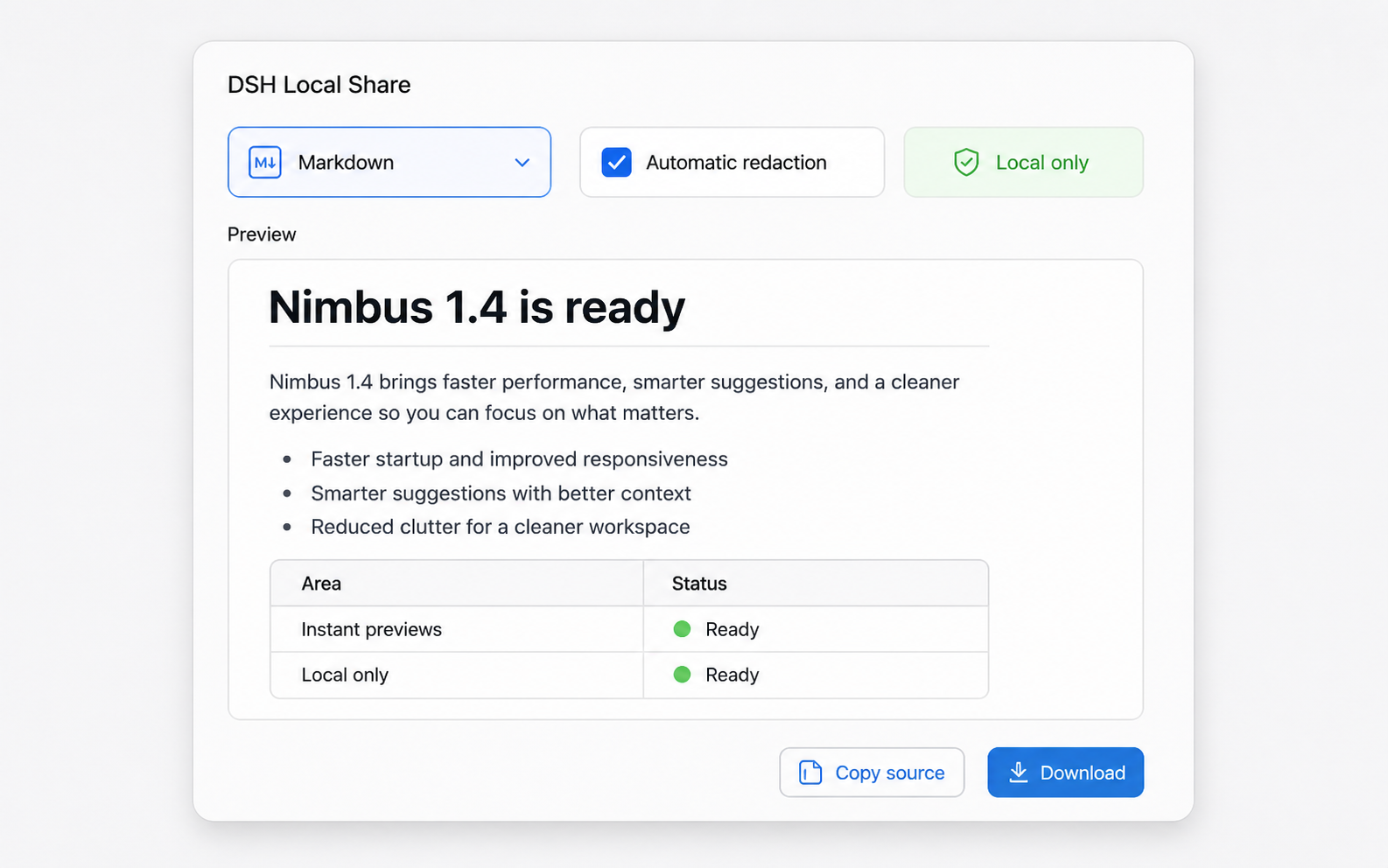
Assistant Markdown is rendered into a calm, readable document while the human prompt remains literal. This privacy-safe product mockup uses fictional data:
Quick start
DSH is currently a developer preview. Install the exact npm release into the Web profile, then start DSH:
dsh plugin --profile web add [email protected]
dsh --profile web
GitHub remains an alternative source:
dsh plugin --profile web add github:ChuanTianML/dsh-local-share#v0.4.1Open a non-empty Session and select Share in its header. The safe defaults are Markdown, tool calls excluded, and redaction enabled.
To remove the plugin:
dsh plugin --profile web remove dsh-local-shareUpgrading from DSH Share 0.1.0
Version 0.2.0 and later use a distinct package and plugin id to avoid colliding with an unrelated community plugin named dsh-share:
dsh plugin --profile web remove dsh-share
dsh plugin --profile web add [email protected]
See the privacy flow
The dialog starts safe. If redaction is turned off, copy and download stay locked until the user gives a fresh acknowledgement; reopening the dialog restores the safe defaults.

The recording uses the real Web application and an isolated DSH profile. The example Session contains benign demonstration text only.
Install with a Coding Agent
Use this plugin when the user wants to share selected DSH conversation turns without uploading the complete Session or its export. Installation, configuration, and verification use inspectable CLI commands and one YAML profile patch. Paste this request into a Coding Agent that has terminal access to the machine where DSH is installed:
Install DSH Local Share 0.4.1 into my DeepSeek Harness Web profile.

1. Detect the active DSH_HOME and dsh version. Do not modify another profile.
2. Inspect the repository package.json lifecycle scripts before installation.
3. Install [email protected] from npm into profile web.
4. Preserve unrelated entries in profiles/web/cordis.patch.yml. Configure the
   dsh-local-share entry with maxEvents 20000, maxOutputChars 2000000, and
   maxToolArgumentChars 12000.
5. Run dsh --profile web --dump-config and prove those values are active.
6. Start the Web profile, open a multi-turn Session, and verify that Share opens
   with all turns and Markdown selected, tool calls excluded, and redaction
   enabled. Select one turn, then verify that a long PNG can be downloaded.
7. Report every command run and any file changed. Never upload an exported
   Session or disable redaction without asking me first.
For an evaluation that must not touch an existing setup, tell the Agent to use a fresh temporary DSH_HOME for steps 1–6.
Host configuration
The defaults work for ordinary Sessions. For an explicit, auditable setup, add the complete config object to $DSH_HOME/profiles/web/cordis.patch.yml (~/.dsh/profiles/web/cordis.patch.yml when DSH_HOME is unset):
- id: dsh-local-share
  config:
    maxEvents: 20000
    maxOutputChars: 2000000
    maxToolArgumentChars: 12000
Harness profile patches replace the target config object rather than deeply merging individual fields, so writing all three limits is the clearest option. Confirm the final composition without starting the Web server:
dsh --profile web --dump-config| Field | Default | Meaning |
|---|---|---|
maxEvents | 20000 | Maximum raw Session events accepted |
maxOutputChars | 2000000 | Maximum file or preview characters |
maxToolArgumentChars | 12000 | Maximum retained arguments per enabled tool call |
Session and output overflows fail visibly. Tool arguments alone may be truncated, with a warning in the preview. Invalid values fail when the plugin loads.
Privacy behavior
The default document contains only direct human prompts and visible assistant text in log order. The user may select any non-empty subset of human-led turns; selection does not weaken the same filtering and redaction rules.
| Content | Default | Optional |
|---|---|---|
| Human prompts | Included | — |
| Visible assistant text | Included | — |
| Tool names, bounded arguments, outcomes | Excluded | Enable “Include tool calls” |
| Tool result bodies | Excluded | Never included |
| Reasoning / thinking | Excluded | Never included |
| System prompts and request configuration | Excluded | Never included |
| Plugin-injected user-role context | Excluded | Never included |
| Attachment bytes and Session metadata | Excluded | Never included |
Redaction covers common credentials, authorization headers, secret-bearing environment assignments, email addresses, and absolute local paths. It is heuristic, not a guarantee. Always review the preview. If redaction is disabled, copy and download remain locked until a fresh risk acknowledgement is checked.
The preview runs in a sandboxed srcdoc iframe. Generated HTML has no scripts or external resources and carries a restrictive Content Security Policy. Long PNGs are generated from that same safe preview in the browser and are never uploaded. Visible assistant text is rendered as safe GFM; human prompts remain literal so the shared document preserves what the user actually entered.
Why this plugin instead of the Session log ZIP?
The official Session log export is the right lossless ZIP for diagnosis and migration. DSH Local Share produces a smaller, human-readable document for code review, issue reports, handoffs, and knowledge sharing. It intentionally omits data that a replay or forensic workflow would need.
Development
The verified Harness revision is 47f943859bef60e4160492346772ded9b24f765a. Keep the checkout isolated under .sandbox/harness:
corepack enable
pnpm install
git clone https://github.com/deepseek-ai/deepseek-harness.git .sandbox/harness
git -C .sandbox/harness checkout 47f943859bef60e4160492346772ded9b24f765a
pnpm --dir .sandbox/harness install --frozen-lockfile
pnpm --dir .sandbox/harness run build
pnpm run check
DSH_HARNESS_ROOT=/absolute/path/to/deepseek-harness selects another read-only development checkout. pnpm run check runs strict type checks, ESLint, unit and composition tests, Host/browser builds, coverage, and a package dry run. Built lib/ artifacts are committed because GitHub profile installs do not run a build step.
The complete product and security design is in docs/design.md.
Compatibility
Version 0.4.1 targets the DSH developer-preview API at the verified revision above. DSH does not yet promise stable external plugin compatibility; future Harness changes may require a new DSH Local Share release.
Security
See SECURITY.md. Never include a real credential or private Session in a public issue.
License
MIT
