
dsh-notify-on-complete — Desktop Notifications for DeepSeek Harness · DeepSeek Harness 桌面通知插件
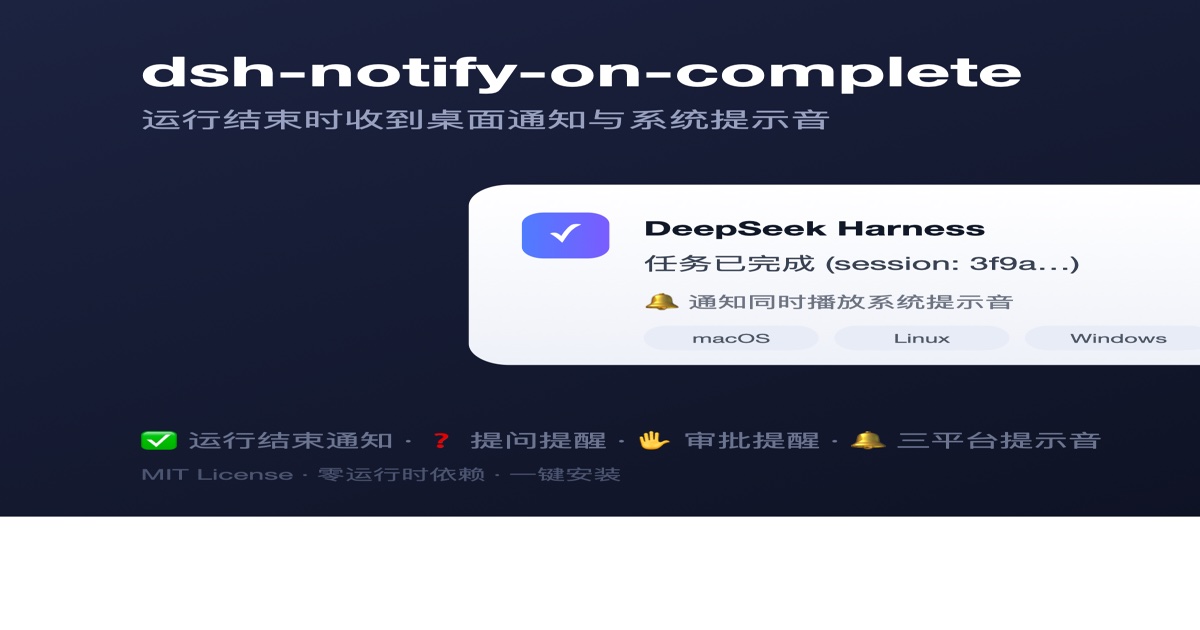
Send desktop notifications from DeepSeek Harness (dsh): get a system notification when a run finishes, and an immediate one when the model asks you a question (ask_user_question) or waits for approval (sandbox escalation / tool permission). The body reflects the result (completed / error / aborted / max-tokens).
DeepSeek Harness(dsh)桌面通知插件:运行结束时向系统发送桌面通知;会话进行中模型提问(ask_user_question)或等待审批(沙箱提权 / 工具权限)时也会即时提醒你回来处理。正文按结果区分(成功 / 失败 / 中止 / 达到 token 上限)。
Author: Luozy · License: MIT · 中文文档:README.zh.md
- Zero runtime dependencies: no
dshinternal packages, noctx.shell. Notifications are fired viachild_process.spawnas a detached child process — non-blocking and unaffected by the harness exit path. - Cross-platform: the notifier command is picked from
process.platform(macOSosascript/ Linuxnotify-send→kdialog/ Windows PowerShell). Unsupported platforms are skipped at load with a warning, never throwing per-event. - System sound: macOS system sound (
sound name "Glass"), Windows .NETSystemSounds, Linuxcanberra-gtk-play(falls back topaplay); disable withsound: false. - In-session blocking notifications: fires immediately when the model calls
ask_user_question, or when a sandbox escalation / tool permission waits for approval — so you know to come back. Controlled byonBlocked/onQuestion/onApproval. - Top-level runs only: subagent sessions are filtered out (
header.origin === 'subagent'), so a single CLI run produces a single notification.
功能特性(中文)
- 零运行时依赖:不依赖 dsh 内部包,通知用
child_process.spawn以 detached 子进程发出,不阻塞、不受 harness 退出影响。 - 跨平台:macOS
osascript/ Linuxnotify-send→kdialog/ Windows PowerShell 自动选择;不支持的平台加载时跳过并警告。 - 系统提示音:macOS
sound name "Glass"/ Windows SystemSounds / Linuxcanberra-gtk-play(回退paplay);可用sound: false关闭。 - 会话中阻塞即时通知:模型提问或等待审批时立即提醒你回来;可用
onBlocked/onQuestion/onApproval精细控制。 - 只通知顶层运行:过滤子代理(
header.origin === 'subagent'),一次 CLI 运行只弹一条。
完整中文文档见 README.zh.md。
How it works
The plugin listens to two events to decide when "a run has ended":
session/event→turn/end: records the latestreason.kindof a root session (origin !== 'subagent'). A run can span many turns (goal rounds, follow-ups, steering), each with its ownturn/end; the plugin only remembers the last one.agent/status→'idle': the harness's own "run ended" signal (the web UI's running indicator andagent.whenIdle()both derive from it). When the root agent returns to idle, the whole activity has converged, so the plugin sends the recorded final result once and clears it.
So one notification per complete run, not per turn: a multi-round goal run fires once at the end, with the final result; intermediate "task completed" moments never fire early. Body format: result — session title (session: sessionId), e.g. 任务已完成 — 修复登录bug (session: 3f9a…); if the title hasn't been generated yet it degrades to result (session: sessionId). The title comes from the last session/title event in the session log — an async projection, so very early notifications (e.g. a question right at session start) may not have one yet. Notification commands run with detached: true + unref(), so a normal exit or crash never affects delivery.
reason.kind | Notification body |
|---|---|
completed | 任务已完成 (Task completed) |
error | 任务失败 (Task failed) |
aborted | 任务已中止 (Task aborted) |
max-tokens | 任务达到 token 上限 (Task hit the token limit) |
| other (unknown) | 任务结束 (Task ended) |
Requirements
- Node.js ^22 (same as DeepSeek Harness)
- An installed
dshCLI (any version — the plugin registers via Cordis events and does not depend on a specific CLI version) - Peer dependency
@deepseek-ai/cordis@^4.0.1(provided by thedshCLI itself; pnpm resolves it automatically on install)
Installation (one-liner, GitHub source distribution, no npm)
Prerequisite: DSH installed (dsh web runs), Node.js ^22 + pnpm.
macOS / Linux / Windows (Git Bash or WSL):
curl -fsSL https://raw.githubusercontent.com/pitetow/dsh-notify-on-complete/main/scripts/install.sh | bashOther profiles (default web):
curl -fsSL https://raw.githubusercontent.com/pitetow/dsh-notify-on-complete/main/scripts/install.sh | bash -s -- --profile headlessThe script does 4 things (all idempotent, safe to re-run):
- Downloads the source to
~/.dsh/plugins/dsh-notify-on-complete/(skips if it exists — never overwrites; add--forceto overwrite/update, which asks for confirmation first, or--yesto skip it); - Runs
pnpm install && pnpm build; - Runs
dsh plugin --profile <name> add link:<dir>: the CLI reads the package'sdsh.bundle.patchdeclaration (cordis.patch.yml) and auto-registers it into the profile's bundle stack, so it mounts on the next start — no manual config file edits; - Idempotently removes any leftover manual mount lines to avoid double-mounting (two notifications per run).
curl | bash runs remote code — the script is open source (scripts/install.sh); download and review it first if you like.
Verify
dsh --profile web --dump-config | grep -n notify-on-completeSeeing - id: notify-on-complete followed by name: dsh-notify-on-complete means the plugin is in the composed tree. Run a real task and watch for a desktop notification to confirm.
Restart to take effect:
- CLI one-shot runs: the next
dsh --profile headless "task"just works, no extra step. - Web GUI: restart the web process (stop the current
dsh web, then start it again). If HMR is enabled, saving files also picks it up automatically.
Update
curl -fsSL https://raw.githubusercontent.com/pitetow/dsh-notify-on-complete/main/scripts/install.sh | bash -s -- --force--forcedeletes and re-downloads the source (local edits in that directory are lost) and asks for confirmation first; add--yesto skip it:
bash -s -- --force --yesOr manually: cd ~/.dsh/plugins/dsh-notify-on-complete && git pull && pnpm install && pnpm run build, then re-run dsh plugin --profile web add link:..
Uninstall
dsh plugin --profile web remove dsh-notify-on-complete
rm -rf ~/.dsh/plugins/dsh-notify-on-complete
Then restart dsh.
Manual install (from source / local development — alternative to the one-liner)
Point the dependency at local source (link: is a symlink, so rebuild after edits; good for debugging):
cd /path/to/dsh-notify-on-complete
pnpm install
pnpm run build                              # emits to lib/
dsh plugin --profile web add link:/path/to/dsh-notify-on-complete
Then check ~/.dsh/profiles/web/package.json — dsh-notify-on-complete should appear in dependencies:
grep dsh-notify ~/.dsh/profiles/web/package.jsonIf the CLI saysdeclares no dsh.bundle — installed as a plain dependency, it wasn't auto-mounted; declare it manually in the profile user layer. Edit~/.dsh/profiles/web/cordis.patch.yml:
# your profile user layer (cordis.patch.yml)
- id: notify-on-complete
  name: dsh-notify-on-complete
  config:
    enabled: true              # default true, omit to keep the default
    title: DeepSeek Harness    # notification title, omit to keep the default
If you previously installed with the one-liner, manual mounting would double-mount (two notifications per run) — run dsh plugin --profile web remove dsh-notify-on-complete before switching channels.Settings Panel (Web GUI)
Open dsh web → Settings → Plugins → Configurable and expand the notify-on-complete card. Every option below is editable in the UI — no cordis.patch.yml edits needed:
- enabled / title / sound / onBlocked / onQuestion / onApproval — the same switches as the config file.
- sounds — per-tier sound names (macOS sound names like Glass / Sosumi / Ping / Funk, or
default): completion, failure, and attention (question/approval) chimes. On macOSdefaultmeans no chime — use it as a per-tier mute; Windows and Linux mapdefaultto their platform default sound. - quietHours —
"HH:MM-HH:MM"ranges (start after end crosses midnight); inside a range the plugin is fully silent (no banner, no chime). Example:22:00-08:00, 12:00-13:00(comma separated).
Values take precedence over the profile's cordis.patch.yml config; fields you never touch fall back to the config file, then to defaults. Profiles without a settings service (e.g. CLI one-shot) simply use the config file as before.
The settings card is rendered by the plugin's browser half (lib/client.js) and reads/writes through the plugin's own JSON route (GET/POST /notify-on-complete/api/config) — the harness's settings API serves only an allowlist of namespaces to the web client, so third-party plugins expose their own route. It only takes effect in a web profile. After upgrading to a version that ships the card, restart the dsh web process so the browser half is loaded (see "Restart" above).
Configuration
Configuration lives in the profile's cordis.patch.yml (the user layer, applied last, wins per row):
| profile | config file path |
|---|---|
web (default, dsh web) | ~/.dsh/profiles/web/cordis.patch.yml |
headless (dsh --profile headless) | ~/.dsh/profiles/headless/cordis.patch.yml |
other <name> | ~/.dsh/profiles/<name>/cordis.patch.yml |
You can also use the home-level$DSH_HOME/cordis.patch.yml(default~/.dsh/cordis.patch.yml), shared by every profile.
Configure by declaring/overriding the row with id: notify-on-complete. Notes:
- A later layer replaces the whole
configof the same-idrow (no per-key deep merge), so either write the fullid+name+config, or write only the keys you want to change and let the defaults fill the rest. cordis.patch.ymlmust be a top-level YAML array (start with-); if you delete everything, write[].
Full example (all fields with defaults):
# ~/.dsh/profiles/web/cordis.patch.yml
- id: notify-on-complete
  name: dsh-notify-on-complete
  config:
    enabled: true        # master switch; false disables everything
    title: DeepSeek Harness
    sound: true          # play a sound; false = notification only
    onBlocked: true      # master switch for blocking notifications (question + approval)
    onQuestion: true     # question notifications (only when onBlocked: true)
    onApproval: true     # approval/permission notifications (only when onBlocked: true)
Common scenarios:
# notify only, no sound
- id: notify-on-complete
  name: dsh-notify-on-complete
  config:
    sound: false

# only notify when a run completes — no blocking (question/approval) notifications
- id: notify-on-complete
  name: dsh-notify-on-complete
  config:
    onBlocked: false

# complete + question notifications, but not approval (sandbox escalation / tool permission)
- id: notify-on-complete
  name: dsh-notify-on-complete
  config:
    onApproval: false
Fields
| Field | Type | Default | Description |
|---|---|---|---|
enabled | boolean | true | When false, the plugin registers no listeners at all — fully off |
title | string | DeepSeek Harness | Notification title |
sound | boolean | true | Play a system sound with the notification; false shows only the notification |
onBlocked | boolean | true | Master switch for blocking notifications; false disables question + approval notifications |
onQuestion | boolean | true | Question (ask_user_question) notifications; only applies when onBlocked: true |
onApproval | boolean | true | Approval/permission notifications; only applies when onBlocked: true |
sounds | object | {completed: "Glass", error: "Sosumi", approval: "Ping"} | 每档事件的音色(macOS 音色名或 default) |
quietHours | string[] | [] | 勿扰时段 "HH:MM-HH:MM"(开始晚于结束表示跨天);时段内完全不通知 |
Config is validated at load time (fail loud): a type error fails startup instead of being silently ignored.
Restart after changing config: one-shot CLI runs pick it up next run; dsh web needs a web-process restart.
Verify it took effect:
dsh --profile web --dump-config | grep -n -A 10 notify-on-completeIf the output shows your config: values, it's applied.
Platform commands
| Platform | Command | Notes |
|---|---|---|
| macOS | osascript -e 'display notification …' | native Notification Center, with system sound (sound name "Glass") |
| Linux | notify-send | falls back to kdialog --passivepopup when missing; sound via canberra-gtk-play (falls back to paplay) |
| Windows | PowerShell WScript.Shell.Popup | no extra modules, auto-closes after 5 s, with .NET SystemSounds |
On macOS you may need to grant the terminal app notification permission (System Settings → Notifications).
FAQ
Q: Two notifications per run? Double mount: the profile's cordis.patch.yml still has an old manual mount line. Delete that - id: notify-on-complete entry (the one-liner cleans it up automatically) and keep only the bundle auto-mount. cordis.patch.yml must stay a top-level YAML array — if you delete everything, write [].
Q: Installed but no notification?
- Confirm it loaded:
dsh --profile web --dump-config | grep notify-on-complete. - Confirm it's a root-session run (CLI one-shots always qualify; subagent/background subtasks don't trigger).
- macOS: check notification permission; Linux: make sure
notify-sendorkdialogexists; Windows: make sure PowerShell works. - Notifications are fire-and-forget — failures don't error out; run the platform command manually to verify the system side.
Q: Why only root sessions, not subagents? One CLI run can contain several subagent sessions, each with its own turn/end and agent/status. The plugin filters subagents via session.header.origin === 'subagent' (the harness's own idiom) to notify only the top-level run.
Q: How many notifications per run? One. It fires only when the root agent returns to idle (the whole activity has converged, all turns done), so multi-round goal runs don't spam; intermediate turns never fire "task completed" early.
Q: Does it notify in the Web GUI? Yes. In the Web GUI each task (one run) ends with the root agent's idle state, same as the CLI; a multi-round goal run fires once when the whole run finishes.
Q: dsh plugin add reports a peer dependency error? The plugin peers on @deepseek-ai/cordis@^4.0.1, which must be resolvable from npm. If your environment can't reach the npm registry, use --offline or pre-install cordis in the profile.
Q: Will it also fire "needs approval" under headless / never approval policy? Possibly. approval/asked is logged even under the never policy or with no answerer (headless/CI), where it is actually rejected immediately rather than waiting for a human — a pure plugin cannot tell these apart from session events. In the Web GUI the answerer is always present and the policy defaults to ask, so the signal is reliable; in headless, use onApproval: false or onBlocked: false.
Development
pnpm install
pnpm run test        # vitest unit tests (result mapping / platform commands / run-end state machine / plugin entry)
pnpm run typecheck   # tsc --noEmit
pnpm run build       # tsc output to lib/ (the prepare hook runs this automatically on install)
Source layout:
src/index.ts     plugin entry: name / Config validation / platform gate / event wiring
src/notifier.ts  run-end state machine: records the final turn/end result, fires once at idle
src/notify.ts    result mapping, platform command building, detached spawn (incl. Linux fallback)
src/types.ts     structural event types (zero dependencies, no dsh internal packages)
cordis.patch.yml bundle auto-mount declaration (dsh.bundle.patch)
scripts/install.sh one-liner install script (GitHub source distribution)
tests/           vitest unit tests (result mapping / platform commands / state machine / plugin entry)