
dsh-archived-sessions
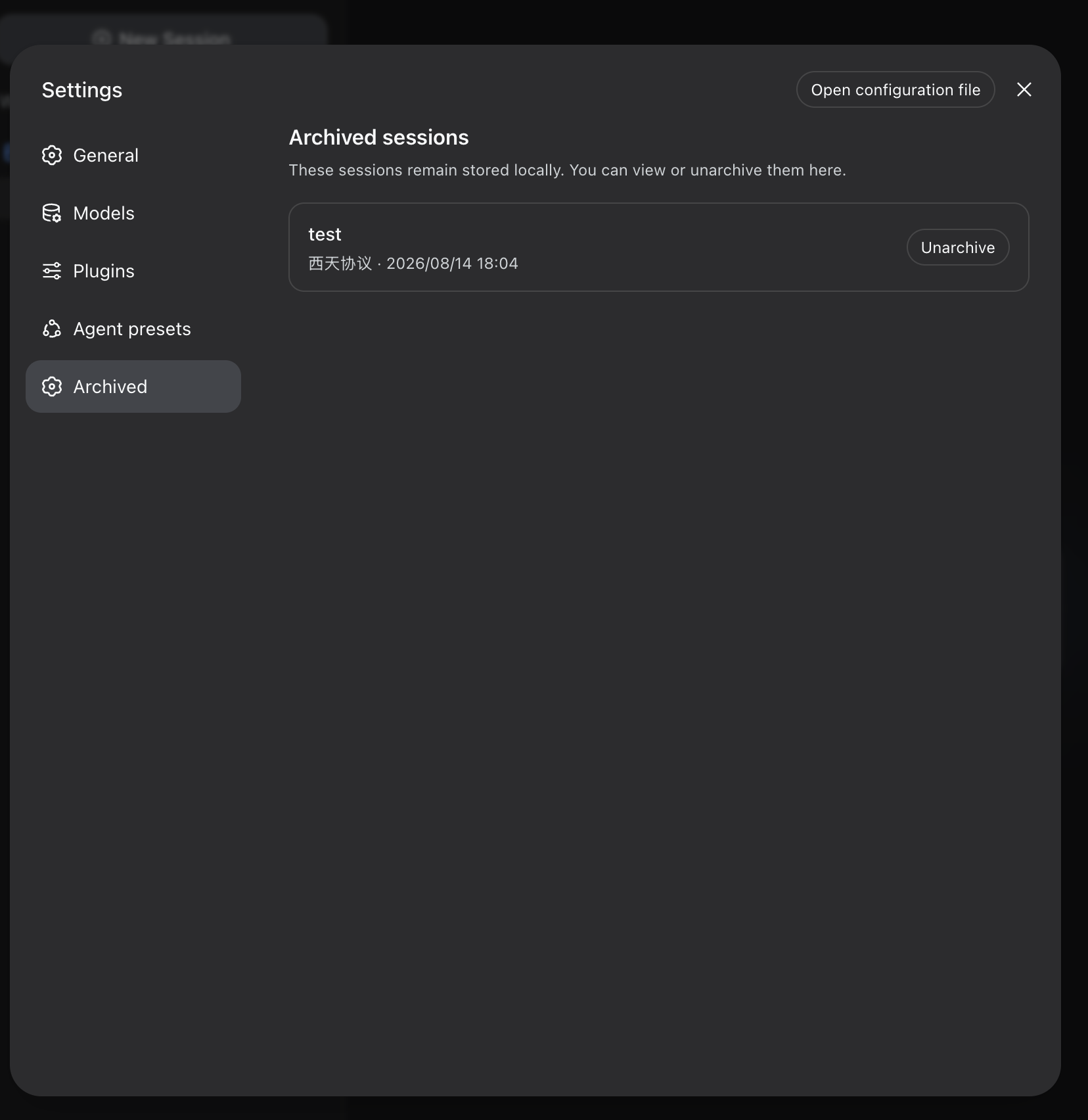
An installable DeepSeek Harness plugin bundle that adds an Archived settings page and restores archived sessions.
Screenshot
Features
- Lists archived sessions with their title, workspace, and last update time.
- Searches archived sessions and filters or groups them by project.
- Restores a session from Settings → Archived → Unarchive.
- Synchronizes restored sessions back to the existing Harness sidebar.
- Ships Host and Web Client capabilities in one DSH bundle.
- Validates its Host/Client RPC boundary with strict Typert descriptors.
Requirements
- DeepSeek Harness
0.1.0-rc.6 - The
webprofile, or another profile that includes the Harness Web UI
Harness does not currently expose a public unarchive API. This plugin serializes the state update through the workspace registry hooks available in the pinned Harness version. Compatibility tests intentionally fail if those hooks disappear in a future release.
Harness also does not expose a safe session-deletion API. The page includes the planned single-session and bulk-delete entry points, but they currently explain this limitation instead of deleting storage files directly. This avoids corrupting session indexes or history; deletion can be enabled once Harness publishes an official API.
Install
From GitHub
Pin a release tag or commit so later repository changes cannot alter the code you run:
dsh plugin --profile web add github:smackgg/dsh-archived-sessions#<tag-or-commit>From a local checkout
git clone https://github.com/smackgg/dsh-archived-sessions.git
dsh plugin --profile web add /absolute/path/to/dsh-archived-sessions
From npm
After an npm release is published:
dsh plugin --profile web add [email protected]This repository commits runnable JavaScript, so GitHub installs do not require a package build or pnpm allowBuilds permission.
Verify and run
Inspect the composed profile before starting it:
dsh --profile web --dump-config
dsh --profile web
Open Settings → Plugins → Plugin list and search for archived-sessions. The mounted module should be enabled. The installable package is named dsh-archived-sessions; Harness shows the module ID in this list. The restore UI is available under Settings → Archived.
Restart a running Harness or desktop client after installing or updating the plugin.
Update
Install a newer pinned tag or commit:
dsh plugin --profile web add github:smackgg/dsh-archived-sessions#<new-tag-or-commit>Uninstall
dsh plugin --profile web remove dsh-archived-sessionsRestart Harness after removal.
Desktop integration
Desktop clients can ship this package as a locked production dependency and apply its exported cordis.patch.yml during profile startup. In that setup, desktop users do not install the plugin separately.
Do not both install the bundle into the same profile and have a desktop client inject it again: duplicate Loader rows or Remote namespaces will fail during startup.
Development
npm install
npm test
npm run pack:check
The package follows the official DSH bundle layout:
.
├── package.json       # dsh.bundle and dsh.client manifests
├── cordis.patch.yml   # Loader row contributed by the bundle
└── src/
    ├── index.js       # Host restore service
    ├── client.js      # Web settings UI and Client Remote mount
    ├── typert.host.js
    └── typert.remote-client.js
Documentation
- Your first Harness plugin
- Package and install plugins
- Services and dependency injection
- Typert subsystem
- Client modules subsystem
